
In case the waste ink tank of your VJ-426UF is not yet covered against environmental light, please install the waste ink valve cover (DE-39206) as explained below.
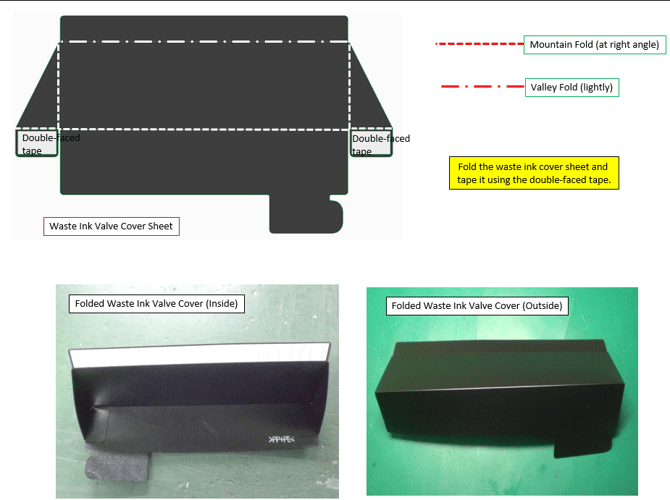
Step 1: Fold the waste ink cover sheet and tape it using the double-faced tape.
Step 2: Properly place the waste ink valve cover on the side cover R.
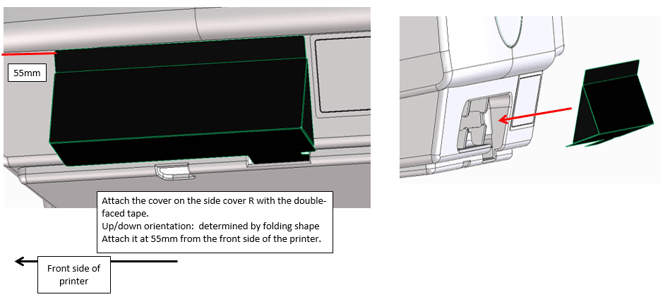
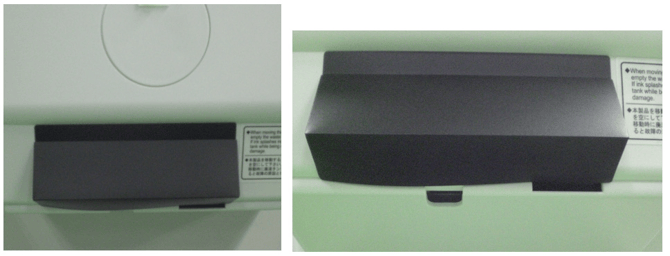
Step 3: Attach the waste ink valve cover with the double-faced tape as shown in the figures.
Article changes
Revision 1.0 : 23 February 2017 - Initial release