
Necessary tools
In order to be able to install firmware, the following tools are required:
- Personal computer with MS Windows
- Network cable to connect the Valuejet wit the pc
- The latest MSA-tool (Mutoh Service Assistance) or MSM-tool (Mutoh Status Monitor)
Detailed instructions how to install the firmware, are described in the maintenance manual.
The latest current firmware can be downloaded below this article.
Release date: 12 January 2021
Current version - 1.03
Diagnostic items
- The name dispayed for the printed Bi-D adjustment pattern in the menu
User > Type > Adjust Print > Custom > Pattern all
... did not match with the actual printed waveform. The correct name is now displayed - Implementation of a new feature to handle smart-chip related issues, with the new S/C Recovery procedure. For more information check the following article: TIB818 - Smart Chip Recovery
- The accuracy measurement of the soft counter of ink level has been improved. This will result in an improved detection of "ink end".
- The header dump was not printed when multiple online data were continuously transmitted with the "header dump" setting enabled.
- When the network transfer was interrupted due to cable issues or bad contacts, the printer needed to be restarted in order to resolve the connectivity issue. When disconnections now occur, the printer will automatically retry to recover the connection within a time-span of 5 minutes before a timeout occurs.
Version history
Release date: 23 January 2020
1.02
Diagnostic items
- Added a menu to check the number of obstacle detection errors
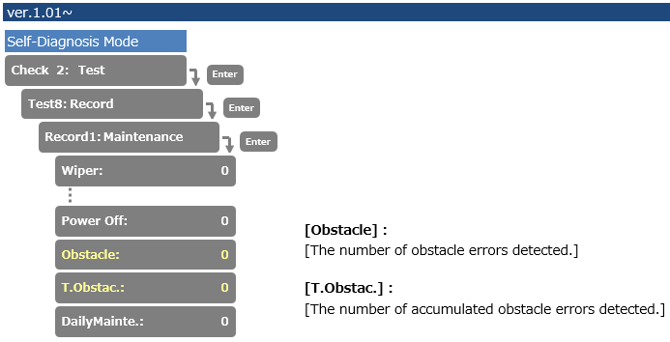
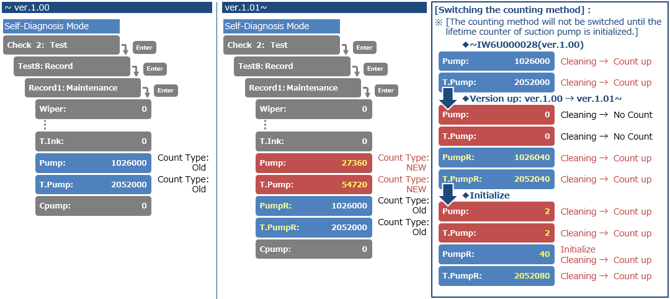
- Life expectancy counter of circulation pump corrected from 300 hours to 27360 counts
User items
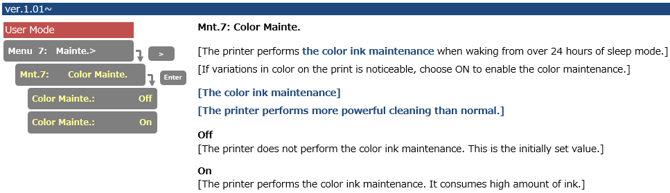
- Added a menu to set the color ink maintenance. The printer performs the color ink maintenance when waking up from sleep mode when to took more than 24 hours.
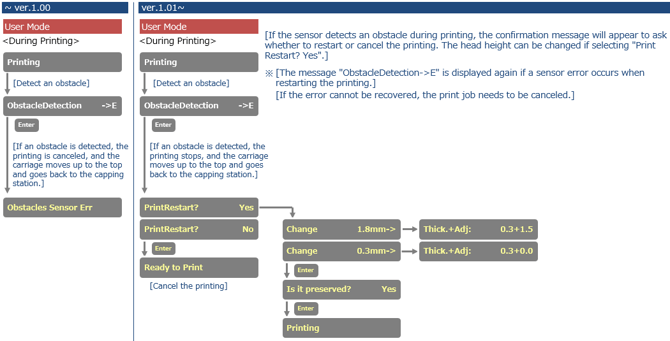
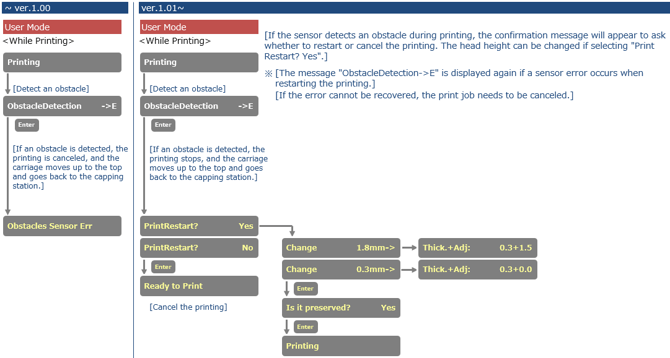
- Changed the workflow after an obstacle is detected. After an obstacle is detected, you can choose whether to restart or to cancel the print
Release date: n.a.
1.01
Diagnostics
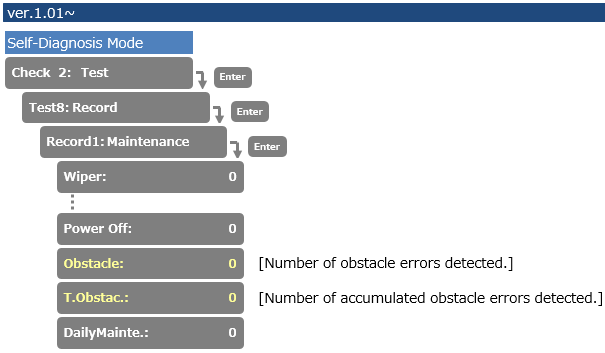
- Added counter menu to verify the number of obstacle detection errors
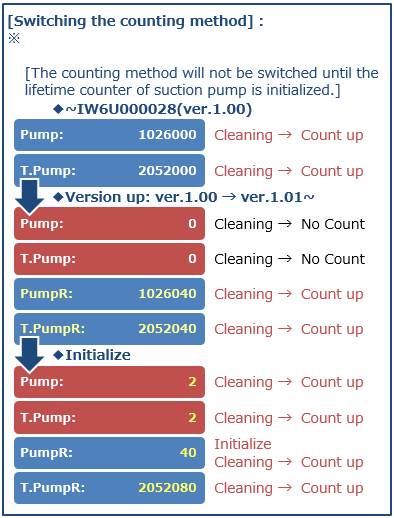
- Changed the lifetime counting method for the suction pump
(previously indicated 285 hours, now changed to 27360 counts)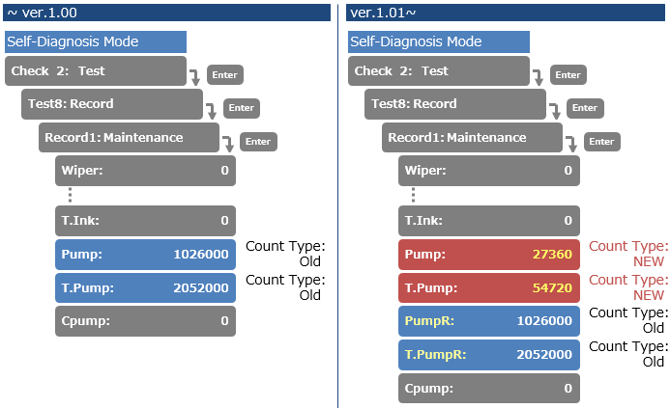
User mode
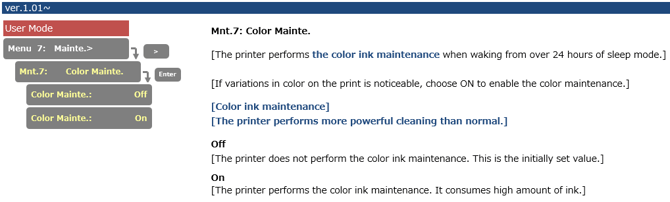
- Added menu to set the color ink maintenance. The printer performs color ink maintenance after 24 hours of sleep mode.
- Changed the workflow after an obstacle is detected. After an obstacle has been detected during the printing-process, you want to choose whether to restart or cancel the printing
Release date: 5 september 2019
1.00
- Initial version
| Attachments | |
| blower_heater_V1.03.rfl.zip 15.7 KB | VJ-1627MH_V103.jfl 1.85 MB |