
Symptoms
- In some rare cases it can occur that the aspect ratio during printing is not correct, resulting in a height that is approximately 2/3rd of the width. The image is distorted.
This issue might possibly occur specifically in the print mode 605 x 600 - 6Pass: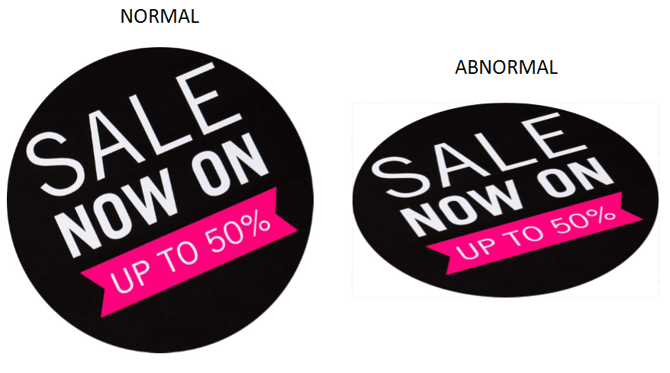
All other print modes with 2/4/8/12/16 Pass and 605x900 6Pass should work just fine. - Another issue that may randomly occur is the error message "Failed to Init Mask" in the software's UI:
Solution
The image distortion and the error message can be resolved by downloading and installing the compatible Microsoft Visual C++ DLL library framework for PJ-2508UF on the controller PC.
You can download these files over here: VC9 Library update link
| IMPORTANT NOTE If you were experiencing the "Failed to Init Mask" and you install this VC9 library in order to fix the issue, check if the color-output settings are still ok. There is a possibility that the output color profile needs to be revised after the fix. |