
All ValueJet and XpertJet mainboards are proteced by fuses to avoid fatal short-circuits and prevent any possible permanent electronic damage and fire hazards.
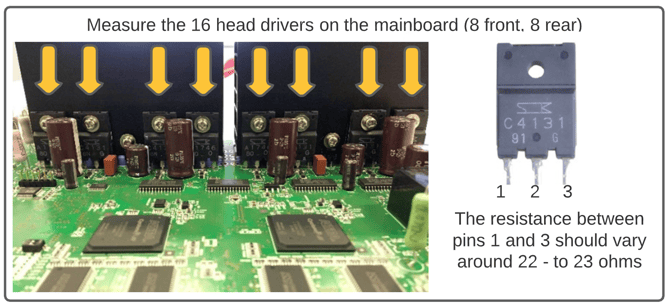
When it occurs that a print-head suddenly completely stops firing inks during the printing-process while all other (mechanical parts) are just working as normally, this fuse protection system may have been triggered. So this is the first thing that needs to be verified.
In most cases when a fuse on the mainboard is blown and the print head is not firing any drop of ink any longer, the print head will be defect. The fuse protecting the mainboard electronics in that case did it's job safeguarding the electronic circuits.
When a print head blows the fuse, the print head and the defective fuses must be replaced simultaneously. In that case you need an Ohm meter to determine which fuses are blown and need to be replaced.
To replace the print head please refer to the maintenance manual of your printer.
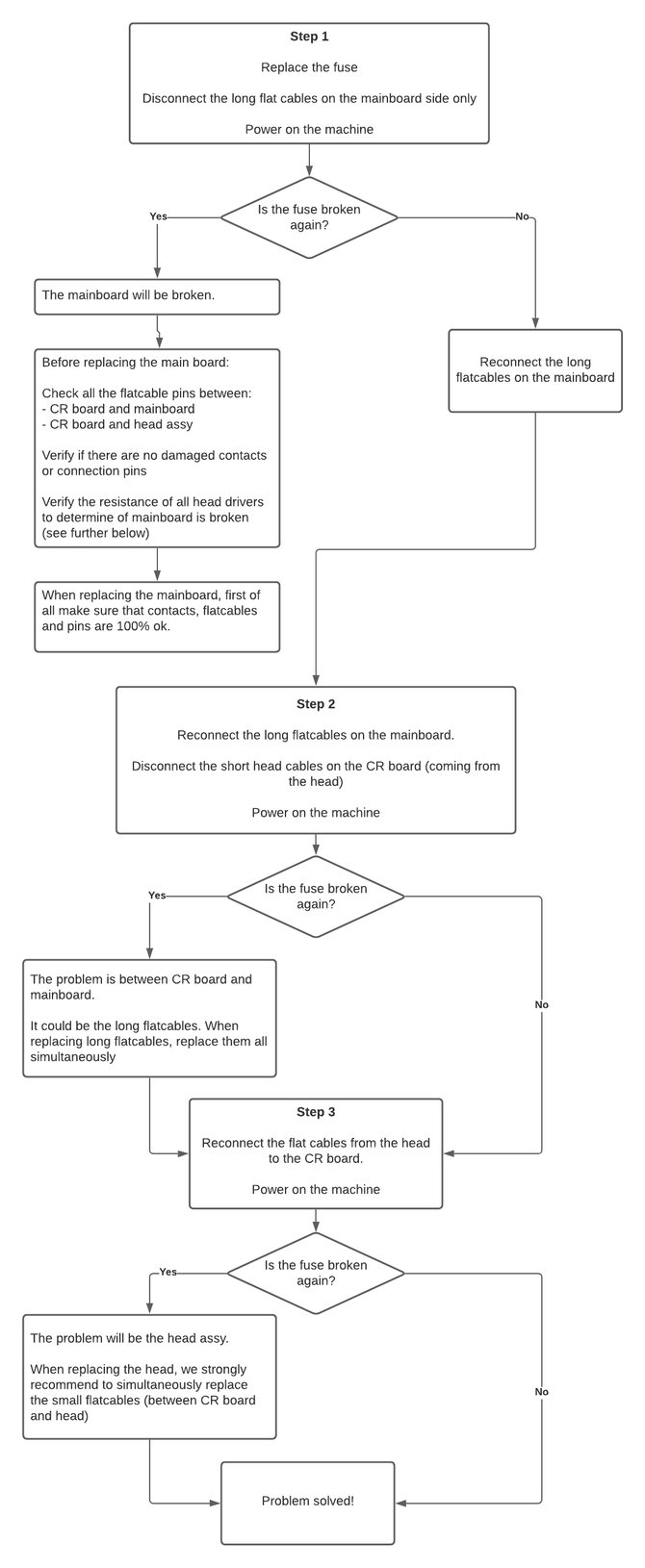
Single head machines
In most cases when a print-head suddenly completely stops firing, usually fuse F2 will most likely be blown.
In any case, we still advice you verify all the other fuses on the mainboard.
In some exceptional cases a more thorough diagnosis will be required to find the root cause why the fuse is blowing, in case changing the head and fuse together doesn't resolve the issue.
| IMPORTANT NOTE Please do not forget to remove the power cord when servicing the printer. After disconnecting switch the power on/off in order to remove residual tension in the power supply capacitors, before proceeding below. |
Flowchart
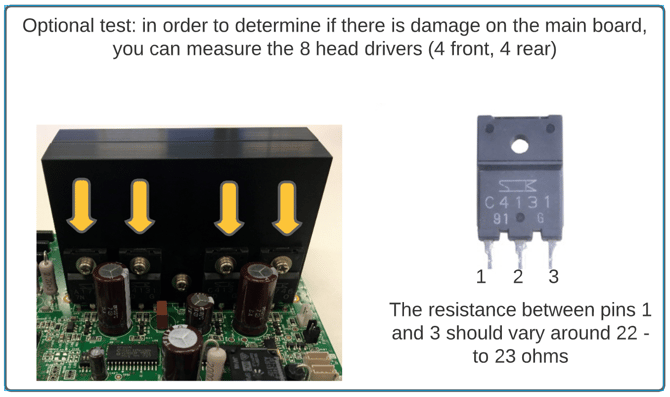
Fuse location & specifications
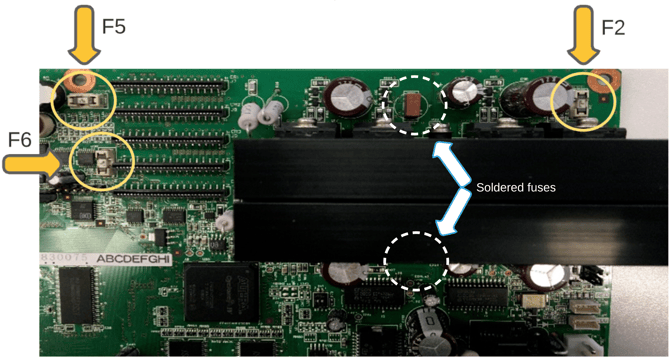
| Fuse | Type | Part Number |
| F2 | F Ceramic - 750 mA | MF-5050 |
| F5 & F6 | F Ceramic - 2,5A | MF-5051 |
| NOTE The marked soldered red blocks are also fuses but cannot be replaced. If these happen to be broken, the mainboard should be replaced. |
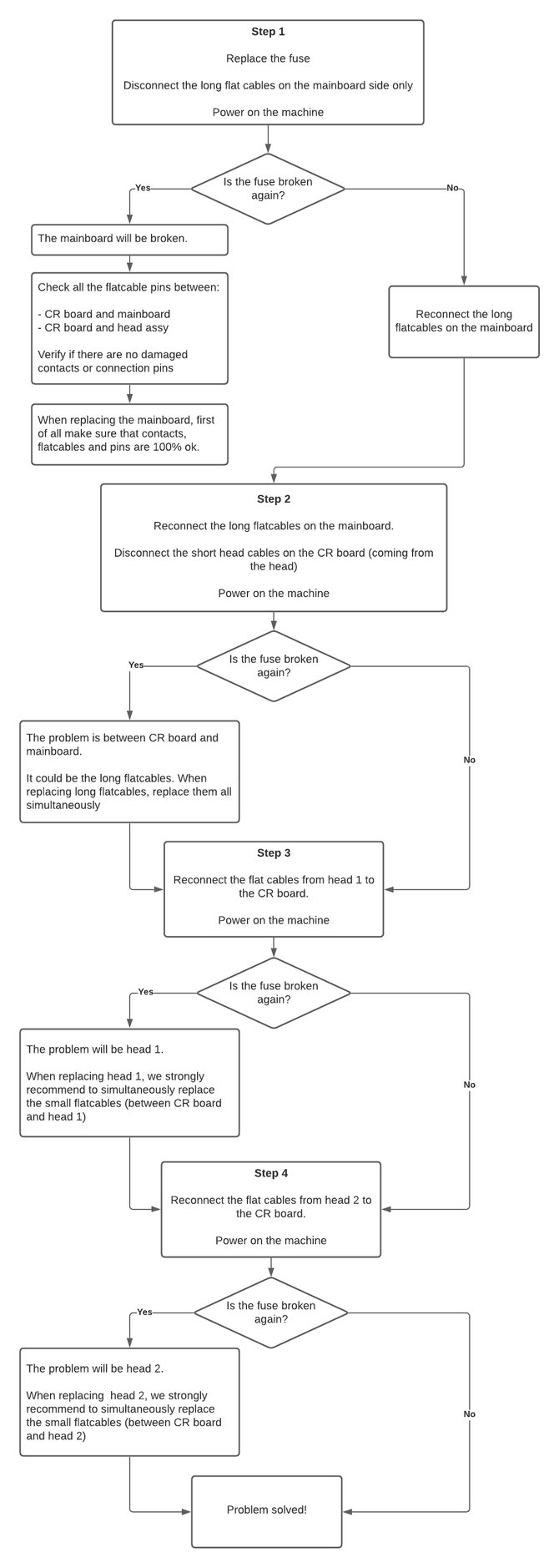
Double head machines
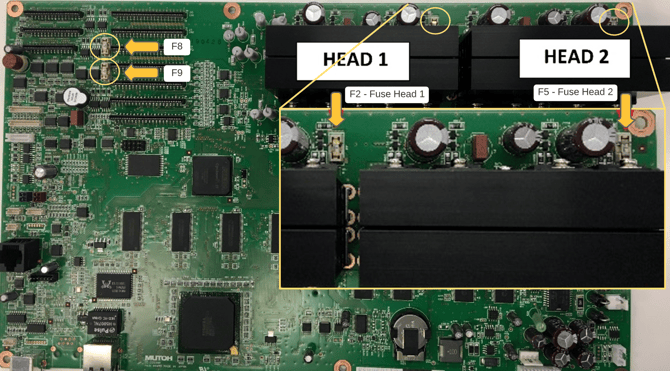
In most cases when a print-head suddenly completely stops firing, usually fuse F2 (for head 1) or fuse F5 (for head 2) will most likely be blown. In any case, we still advice you verify all the other fuses on the mainboard.
In some exceptional cases a more thorough diagnosis will be required to find the root cause why the fuse is blowing, in case changing the head and fuse together doesn't resolve the issue.
| IMPORTANT NOTE Please do not forget to remove the power cord when servicing the printer. After disconnecting switch the power on/off in order to remove residual tension in the power supply capacitors, before proceeding below. |
Flowchart
Fuse location & specifications
Head fuses are generally located next to the set of head drivers on the mainboard. There are a few similar fuses near the flatcable connectors which are not related to the heads themselves, but to give power supply to pheripherals on the carriage like the carriage solenoid, encoder sensors, stepper motors, etc.
The general "rule of thumb" is simple: in order for the machine to properly work, all fuses should always be checked. When blown, find the root-cause and replace any broken fuse...
| Fuse | Type | Part Number |
| F2 & F5 | F Ceramic - 750 mA | MF-5050 |
| F8 & F9 | F Ceramic 2,5A | MF-5051 |
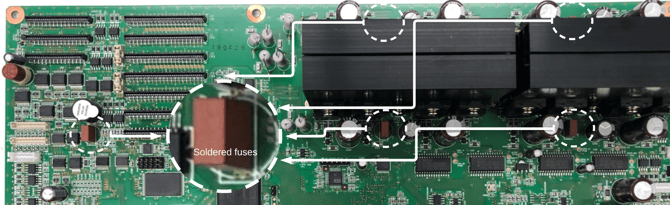
| NOTE The marked soldered red blocks are also fuses but cannot be replaced. If these happen to be broken, the mainboard should be replaced. |