- Background:
Currently you, as Mutoh distributor/dealer, have most probably 2 different accounts on the MUTOH Club:
- one registration as a Mutoh dealer (via URL: https://mutoh-club.com/mutoh/user/) : important to be able to use the MSA tool.
- one registration as General user (via URL: https://mutoh-club.com/mutoh/guser/)
As a result you need to keep track of 2 different login URL's with connected login and password data, which makes the usage quite confusing.
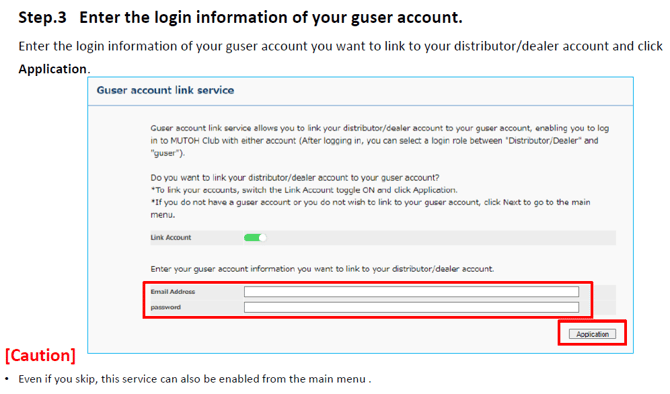
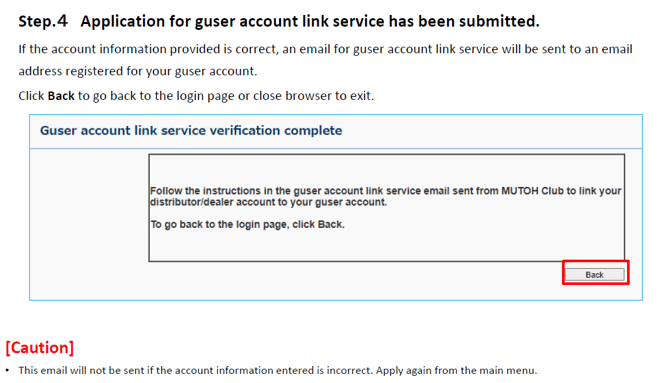
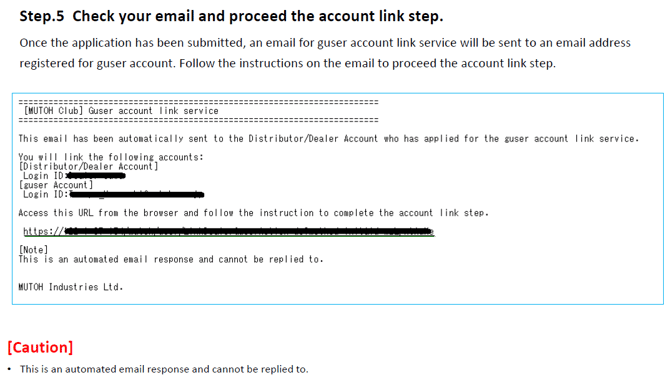
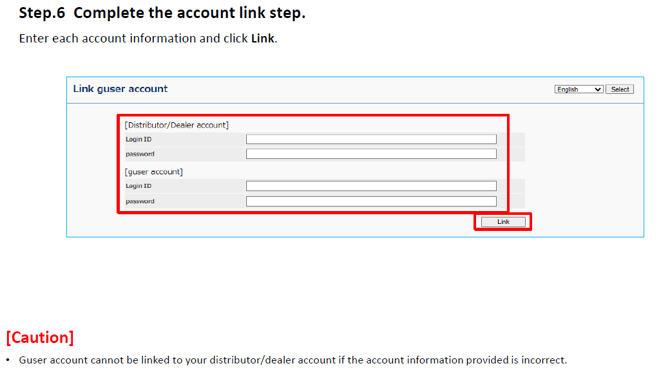
To solve this problem, a new feature, the “Guser account link service” has been added to the MUTOH Club.
- Solution:
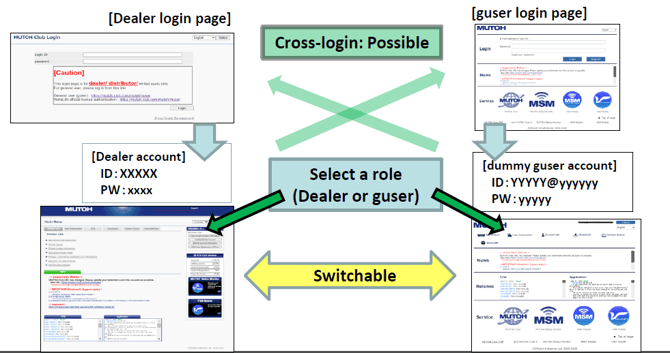
To simplify this login Mutoh has created a "cross-login" feature.
This option gives the user the possibility to login into one Mutoh Club only and at that point choose the required "role": "dealer account" or "general user (Guser) account".
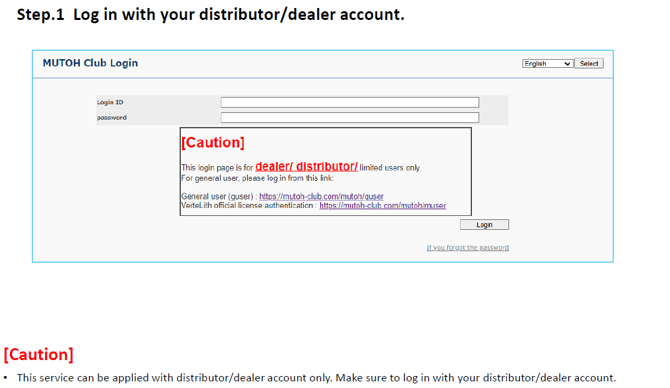
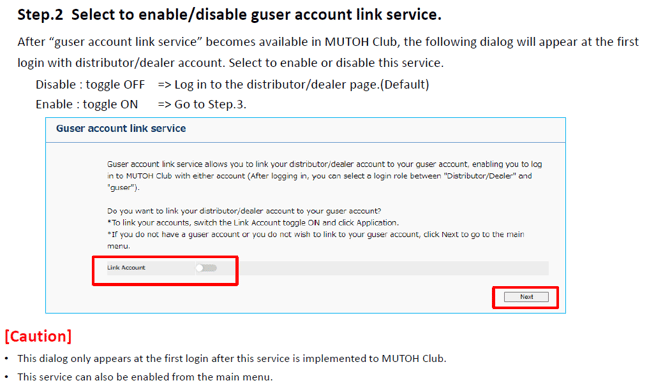
- Workflow to link both accounts:
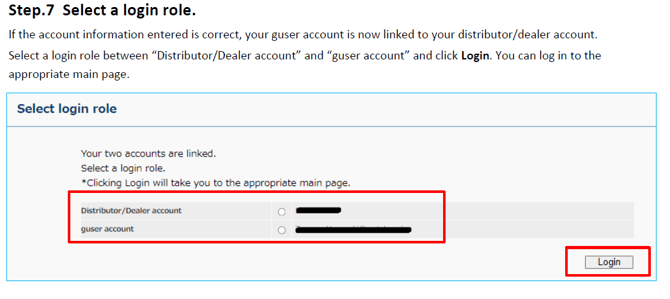
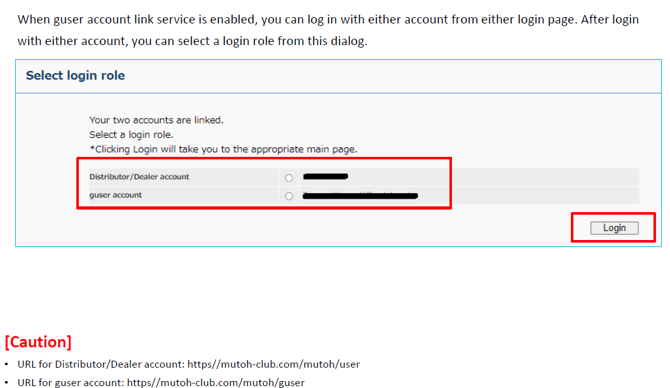
- Select a login role after the accounts have been linked:
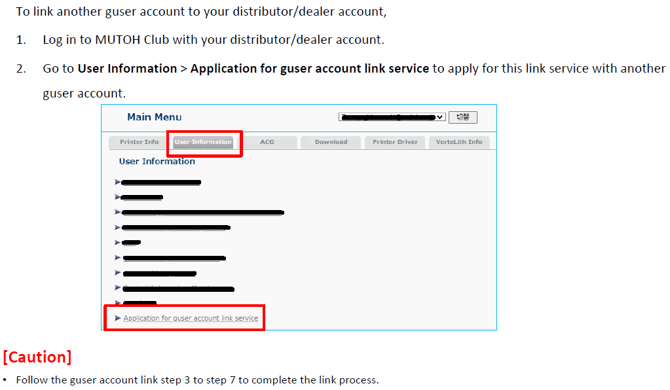
- How to add another guser account:
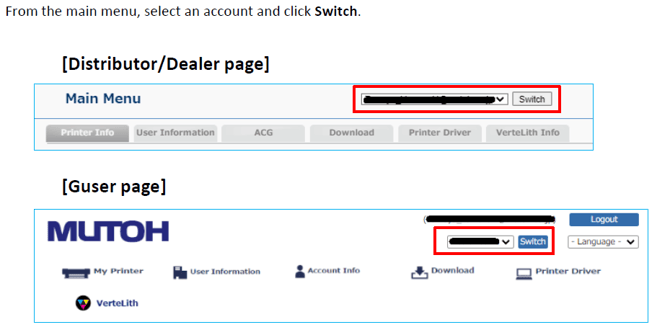
- How to switch between accounts:
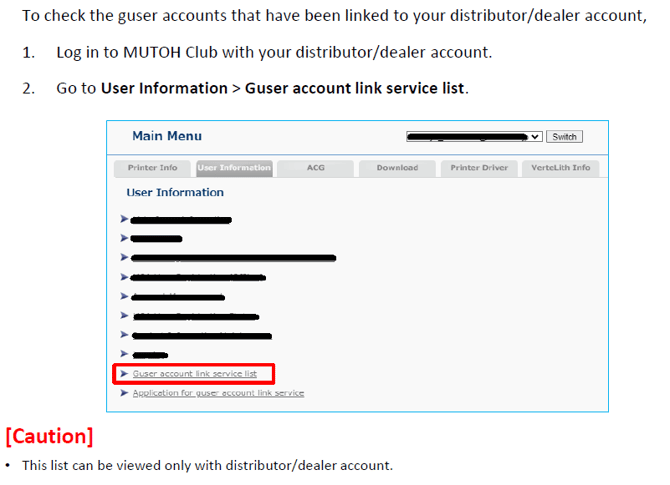
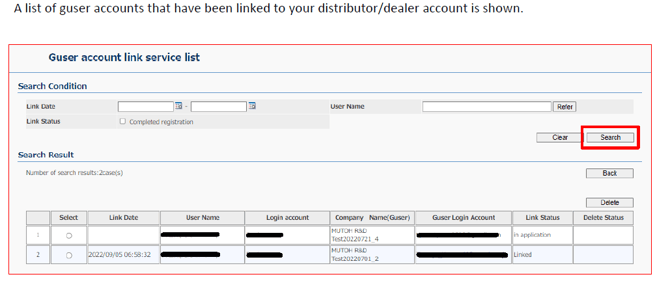
- How to check the list of guser accounts linked to your dealer account:
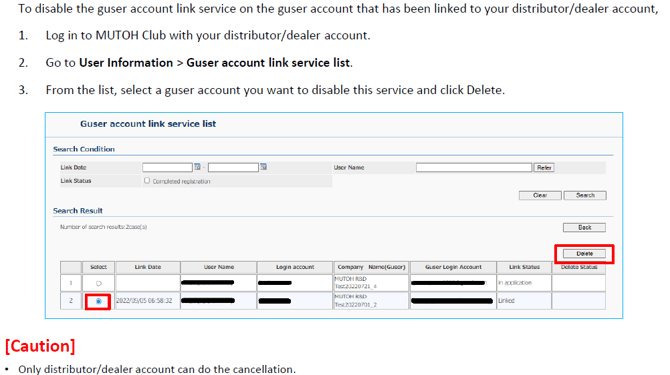
- How to cancel the guser account link service: