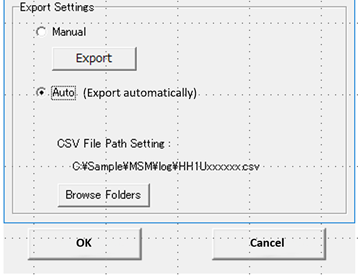
The MSM (as of version 8.1.1) allows to automatically export the Print History of the printer(s), which are being monitored.
How?
- Select "print History":
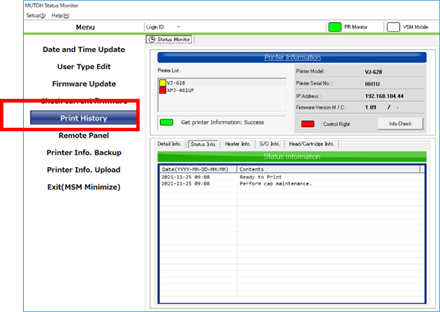
- Select "Export":

- Select the appropriate "Delimiter" and "Decimal point" settings for your "Windows regional settings"
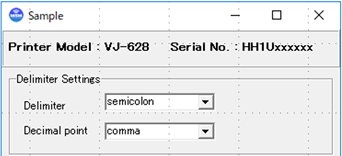
-
Complete the settings by choosing:
- One-time ‘Manual Export’.
- Automatic Export – ‘Auto’, which will automatically create a “*.CSV”-Type file including the full print history of the printer.
- The file is generated in the folder of your choice, which you can set via the ‘Browse Folders’ button.
- The file is updated every time the printer has received new print data.
- New settings to be confirmed with ‘OK’ or aborted via ‘Cancel’.