
In this procedure we explain how you could readjust the slant of the table in case you would have a major difference between the front side and the back side of the table, if the table slant is not correctly adjusted or changed for some of other reason than there will be a difference between the front and back accurate of the printed job.
The table slant can be checked and readjusted with the following procedure:
The position of the movement rail of the table will have no effect on the front and rear difference of the printing table but we recommend to check the position of the fixing point of the table just to be sure that it is correct and to correct it if necessary, see bellow which point to check on the table assembly.
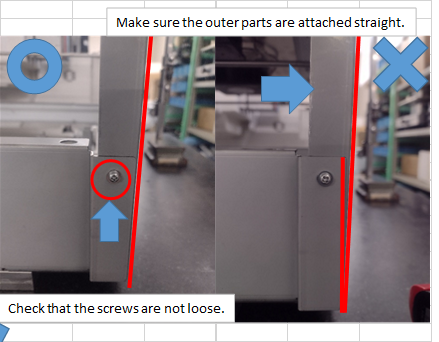 |
If there is a difference between the front and the back side of the table than it may be because that the printing table is attached with a tilt, If the printing table is tilted than the printing table mounting position will need to be readjusted like the procedure from in attachment(Procedure for dealing with table skew).
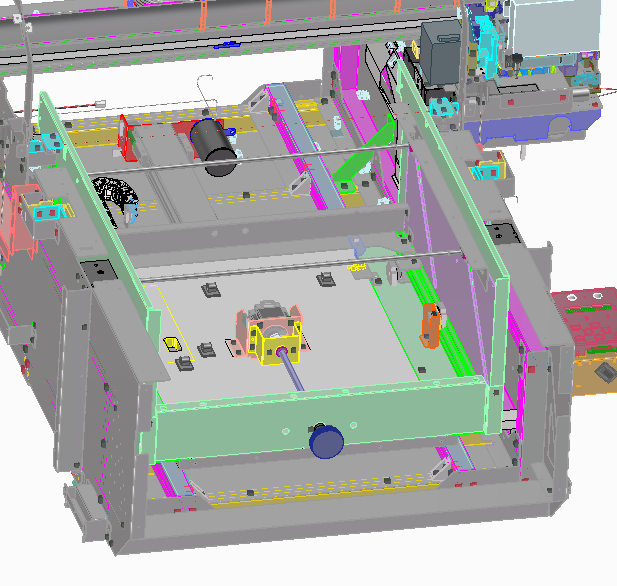 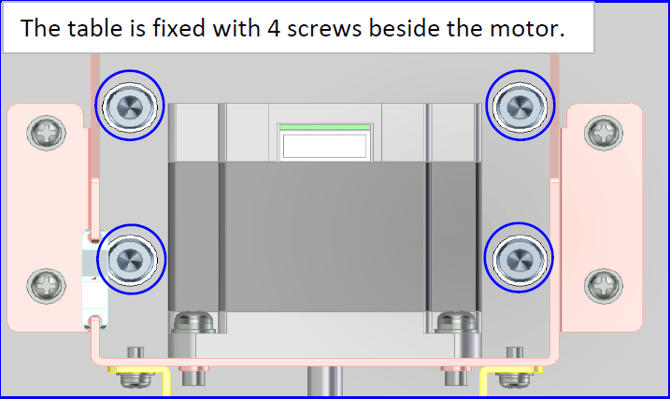 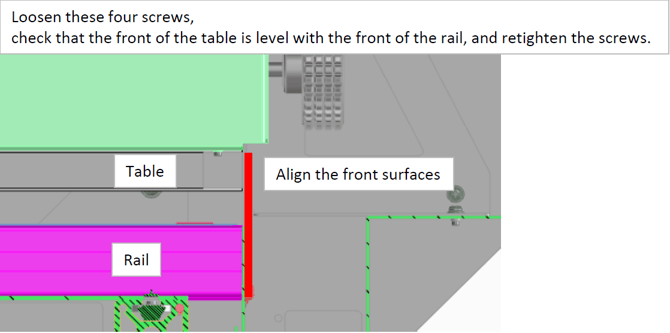 |
Another method to check and correct the slant/skew of the print table is the following method:
- Via diagnostic mode / test/ sensor / and turn on the led pointer.
- Move the led pointer by hand above the table an aim with the laser on the reference line on the side of the print table and block the carriage with some tape or with a head lock like shown in below picture.
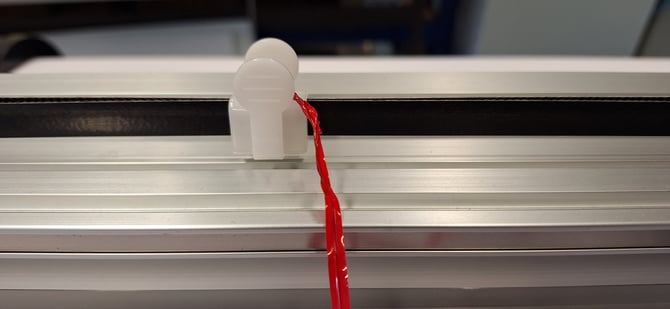 |
- Push the print table to the back of the printer and observe if the laser follows the reference line from the print table, repeat the same but then from the back to the front, check if the laser follows the reference line as straight as possible or if there is a deviation between the reference line and the laser .
- If there is a deviation than the table can be adjusted (turned) clockwise or counter clockwise by loosening the bolts that hold the baseplate, bolts are positioned behind the bracket of the PG-motor (see picture).
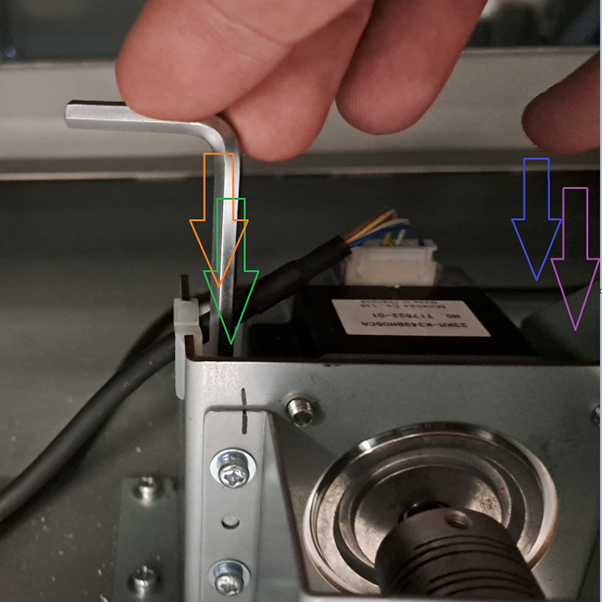 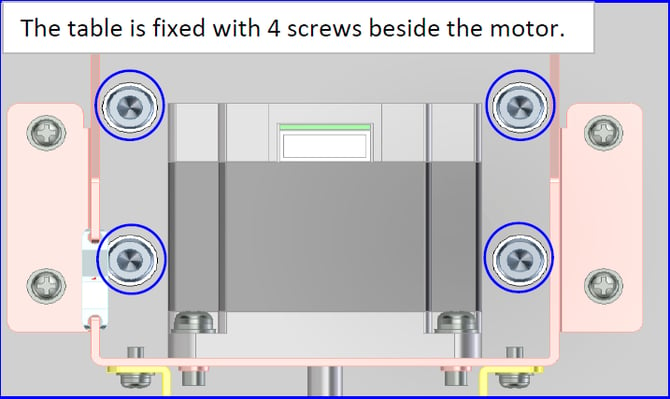 |
- Once the table is straight you will be able to adjust the x and y position of the print.
| Attachments (2) | |
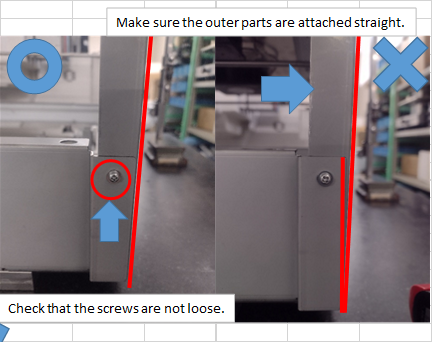 check point.png |