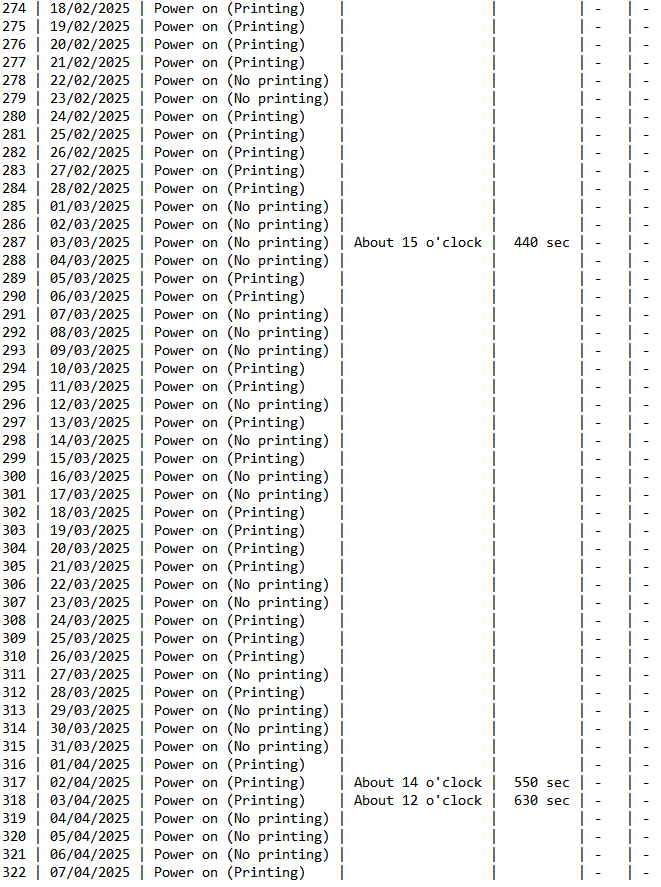
The RDI file contains logging data of the printer.
This data can be analysed by means of the MSA tool (there is no need to be connected to the printer).
A very important parameter to check here is to see if the operator has perfomred the required maintenance. The frequency depends on the ink type and can be checked as explained in the movie and/or in the article below.
Movie:
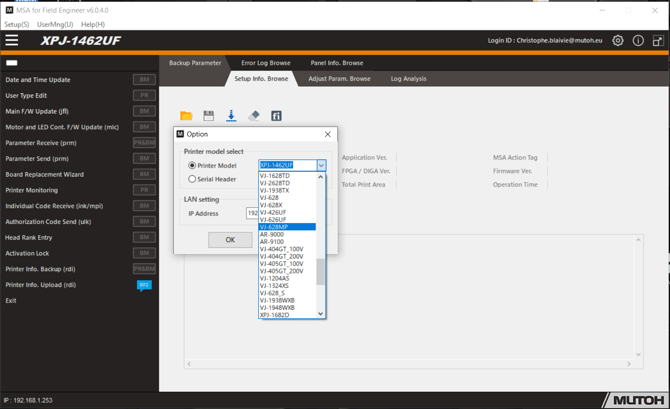
Start the MSA tool, go to setup, options and select the correct model, confirm by clicking OK
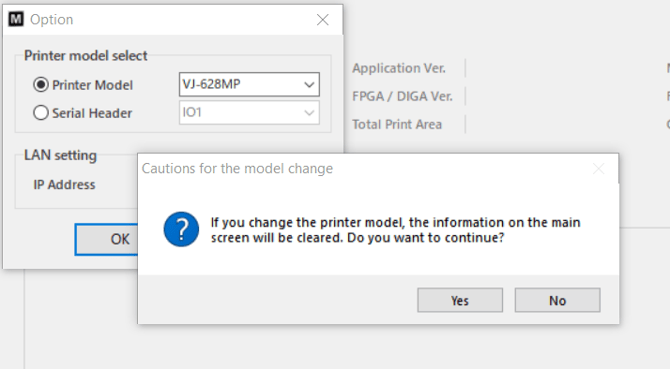
Following popup will appear and there you select yes:
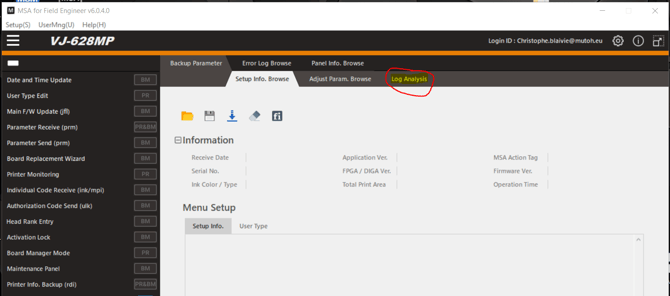
Next step is to select "Log analysis" in the MSA(red circle):
Following window will appear:
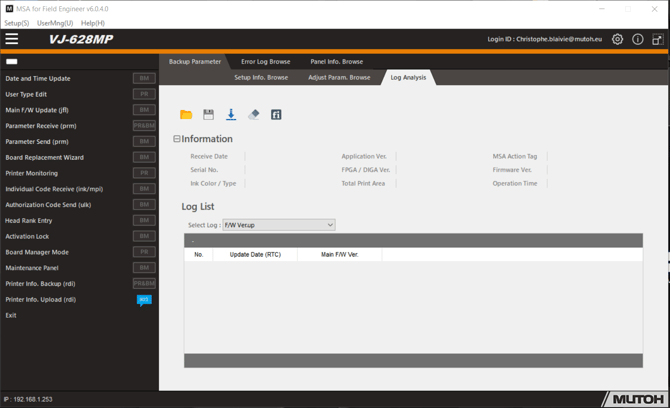
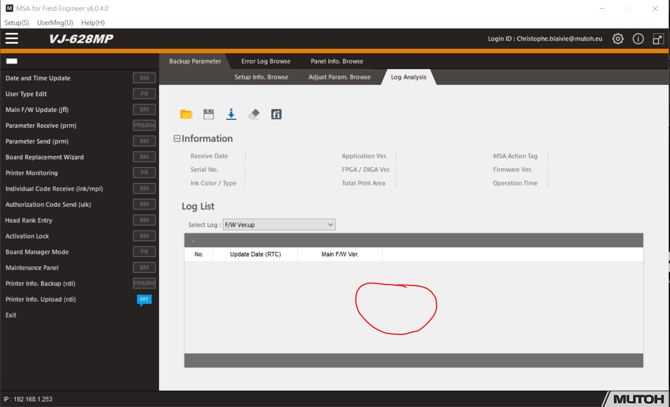
Take the RDI and drop it on the following location, see below red circle:
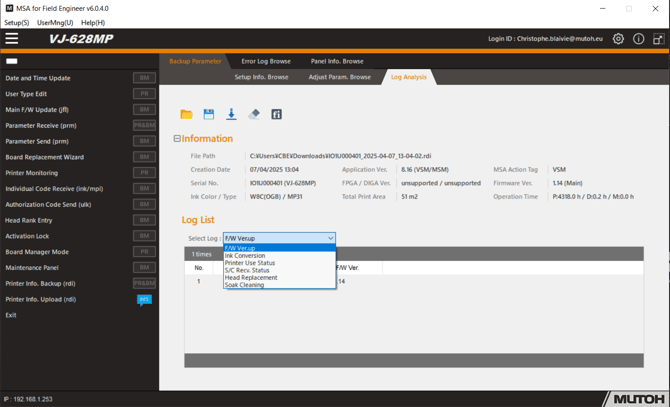
Different menus can be chosen by changing the TAB:
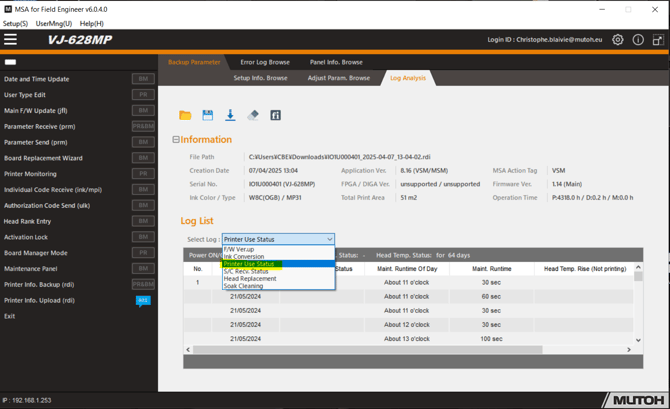
To check the maintenance you select "printer use status" and there you will be able to check the status of the printer, sleep mode, maintenance and maintenance time:
The log file can be saved by selecting the floppy disklogo. See hereunder an example of the look of such a file.
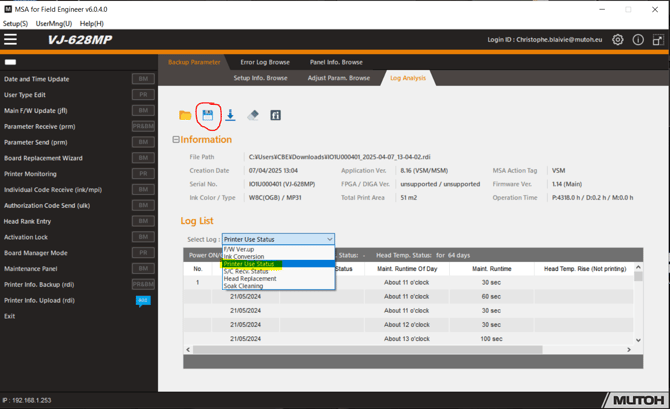
This example file shows that the customer is not performing the maintenance properly as described. The maintenance should have been performed every day when the printer was used for printing, but this is not the case in this example