
This guide outlines the complete procedure for loading DS4 ProFlex inks into a new XPJ-1682SR-DSP printer.
Follow these steps carefully to ensure proper installation.
TABLE OF CONTENTS
Required Components
- Firmware Requirements:V1.06 (minimum) + Mutoh Service Assistant (MSA) v6.0.5 or higher
- Ink Supplies:
- DS4 ProFlex Sublimation Ink
Part NumberQtyDS4-BK1000PE2DS4-CY1000PE2DS4-MA1000PE2DS4-YE1000PE2
- No initial cleaning required - Machine wash with cleaning liquid is not necessary prior to initial ink loading.
- Daily maintenance cleaning fluid: DS3-CL1000E
Important

DS4 ink packs and daily maintenance cleaning fluid must be ordered separately!
Installation Procedure
Warning

Important: Your printer requires firmware version V1.06 or higher to work with DS4 inks. Using an older firmware version might prevent proper start up.
- Step 1: Firmware Update
Boot the printer in "Board Manager Mode" and update the firmware using MSA 6.0.5 tool or higher. - Step 2: Initial Configuration
Boot the printer in "User Mode" and configure initial settings (language, IP address, etc.). - Step 3: Printer Activation
Activate the printer. (How to register a Mutoh printer & generate an activation code?)
Important

For 8-color mode operation: set "Diagnostics > Parameter > Update > Color > 8Color" before proceeding.
- Step 4: System Reboot
- Step 5: Ink Charge Initialization
The printer will request confirmation to start the Ink Charge process.
- Step 6: Wash Retry Prompt
If the display shows "Wash Retry?" → Select No
- Step 7: Ink Installation
Insert the DS4 ink packs into the ink cases, install them in the printer. Refer to the Start-up guide for detailed instructions on proper ink pack loading procedures.
- Step 8: Automatic Ink Charging
The "Ink Charge" process will initiate automatically.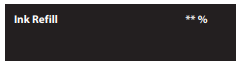
- Step 9: Process Completion
Upon successful ink loading, the completion message will appear (ink charging cycle is complete).
Important

The correct flushing pad for DS4 inks is IJ-FLABS-01, supplied in boxes of 3 pieces. MEN has already completed this upgrade during the conversion to XPJ-1682SR-DSP by replacing the previous solvent flushing pad with IJ-FLABS-01 and ensuring the box contains the appropriate pad type.
Additional Info and Resources
- Key differences between the 1682SR-P and 1682SR-DSP printer models:
- Pressure Rolls / Arms and Springs are replaced with their water-based version.
- Spitting Pad (see info above)
- InkType: Preset to the MUTOH ink kind for water-based sublimation ink: "MW1". - recommended print modes, see: Print Mode Recommendations XPJ-1682SR-DSP
- Generic Media Profiles for VerteLith can be downloaded through different channels: LINK
- Daily Maintenance Information: LINK