A new version of MacOS (Catalina) is released.
For MacSign users:
MacSign Cut does not support MacOS 10.15 Catalina yet.
The estimated release date of the new MacSign version supporting Catalina is the first quarter of 2020.
➢ Important notice: Do not update your MacOs system when you use MacSign Cut!
If by accident, you updated your MacOS, you will need to revert this.
The current versions of MacSign’s plug-ins for Adobe Illustrator are signed and work fine on MacOS 10.15 Catalina.
For Summa plug-in users:
The current version of Summa’s plug-in for Adobe Illustrator is not signed yet.
However, there’s an alternative way to work around it:
1. Close Adobe Illustrator
2. Download the plugin from Summa's website: https://www.summa.eu/en/vinyl-cutter-downloads
3. Double click or extract the downloaded file
4. Copy the file in the Adobe Illustrator Plugins folder
5. Push the CMD-key (COMMAND key) while you click on the Summa plug-in
6. Then select “Open with…” and select “Other…”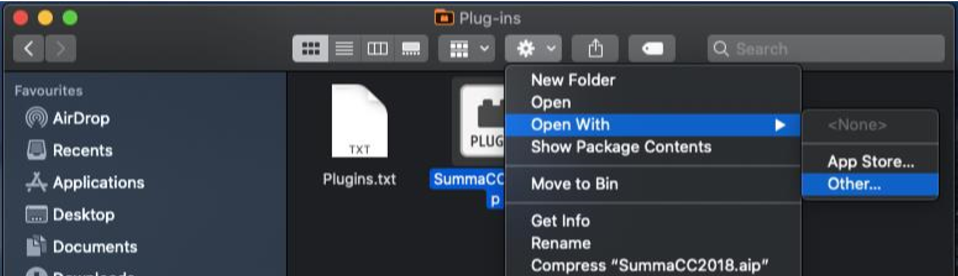
7. Enable “All Applications”
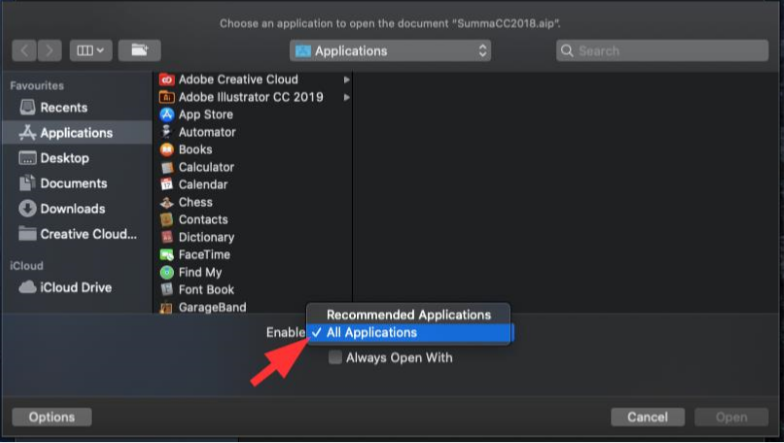
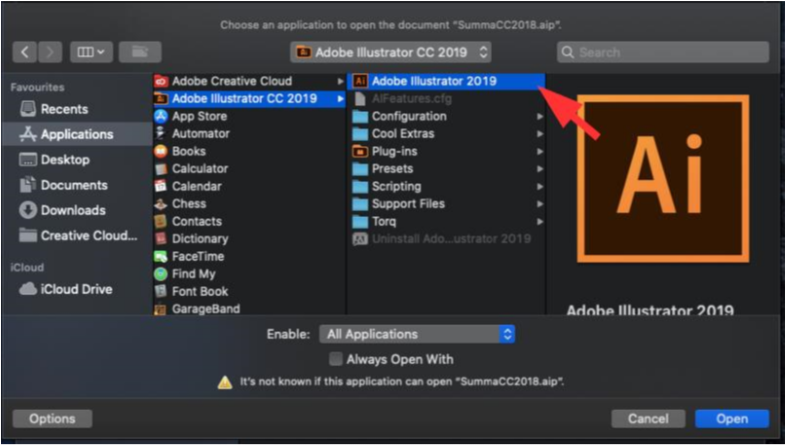
8. Select “Adobe Illustrator” and Open
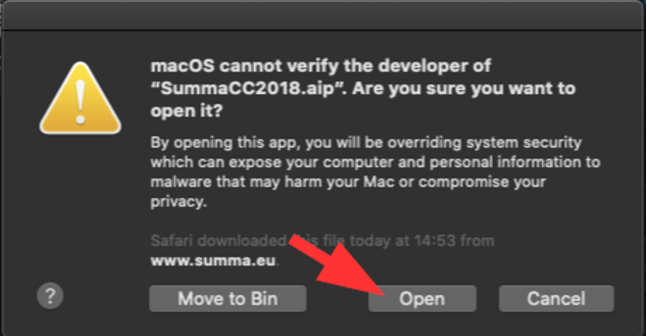
9. A warning will appear on the screen, now select “Open”
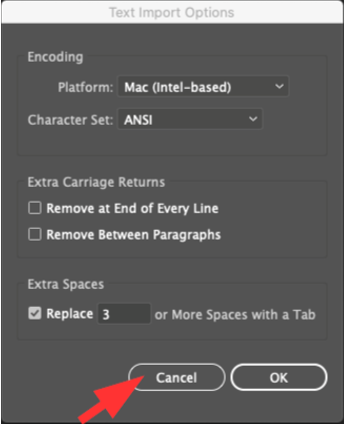
10. Illustrator will open and another window will appear. Select “Cancel”
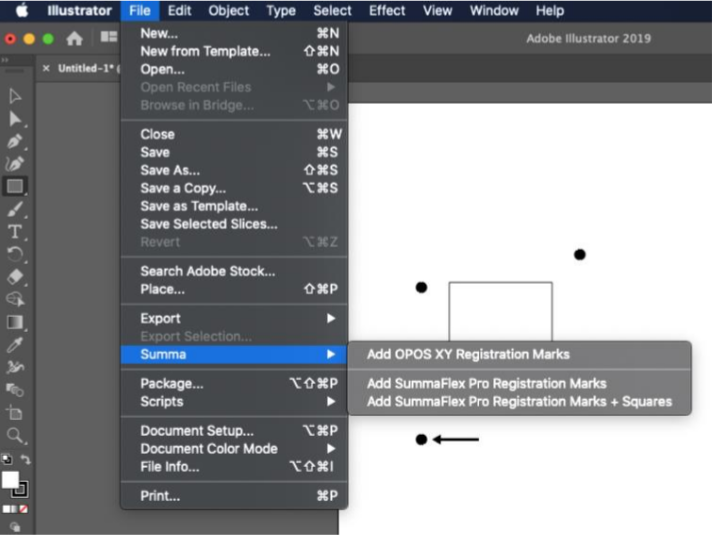
11. If you make a design now, the plugin to place the Summa markers should be available:
Was this article helpful?
That’s Great!
Thank you for your feedback
Sorry! We couldn't be helpful
Thank you for your feedback
Feedback sent
We appreciate your effort and will try to fix the article