Under certain circumstances it is needed to send the MPI file from the machine to MUTOH for further analysis or to create a new ULK file for the machine. This document describes how these files can be downloaded from and uploaded to the
VJ-628(MP).
How to retrieve a MPI file and upload an ULK file on a VJ-628(MP) |
- Make sure the printer is powered on and connected via the network to the MSA tool (service software tool that all Certified Mutoh engineers have).
- Switch the printer to “Board manager mode” with the MSA tool (see blue marked menu in below screen shot)
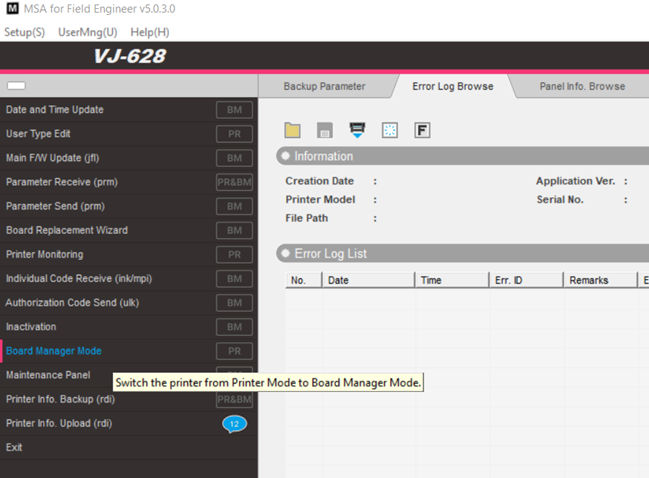
When the confirmation has been sent that the printer is in “Board Manager Mode”, retrieve the MPI file from the printer: See “individual code receive”.
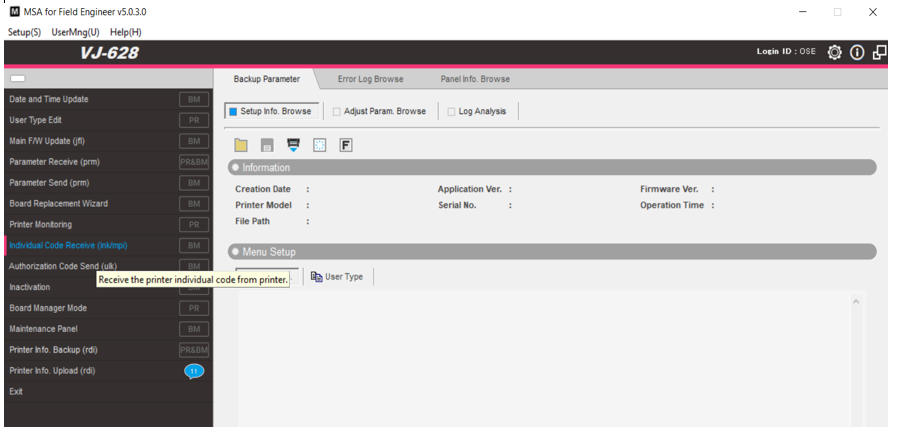
Send this file to MUTOH Europe.
MUTOH Europe will generate a ULK file.
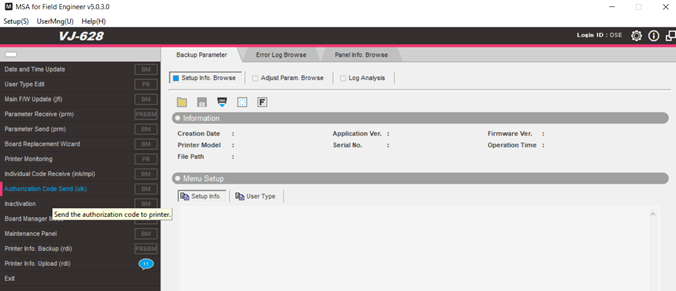
Upload this file via “authorization code sent” ==> wait while the data is sent until you receive the confirmation that the printer is ready
To return to normal user mode instead of Board manager mode: Power off the printer and power on again by just pushing the power button.
Was this article helpful?
That’s Great!
Thank you for your feedback
Sorry! We couldn't be helpful
Thank you for your feedback
Feedback sent
We appreciate your effort and will try to fix the article