After your XpjertJet machine has been installed and activated, it’s your turn as an operator to make the basic adjustments for your different profiles/media types.
This movie explains the different methods of bi-dir adjustments, the different methods of step adjustments, and it also explains how you can link the adjustments to your software profiles (how to know which dot size you are using, and which specific adjustment you need for that dot size).
Furthermore, it show some important tools, like the method to reset your printer to factory default (of course without deleting the diagnostic adjustments made by your technician), and the header dump tool, that allows you to search for the dot size + carriage velocity command, independent of the rip software that you are using.
All menu’s and printmodes that are shown in the movie are available in a separate pdf file, and all testfiles used in the movie are also in a separate subfolder. Don’t forget to check the Addendum.pdf for last minute changes!
You can watch the movie via following YouTube link
Or download the complete folder content via this dropbox <Link>
Contents
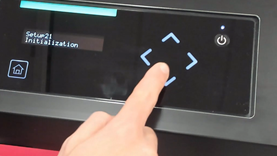 | Reset to factory default |
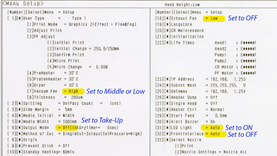 | Setup menu recommendations (how to get the setup list from the machine) |
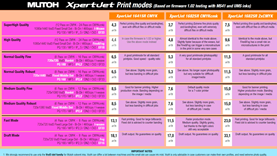 | Print mode recommendations |
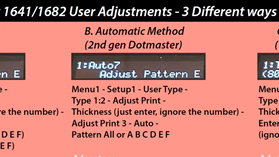 | Bi-Dir Adjustments (3 different ways) |
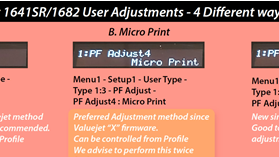 | Step Adjustments (4 different ways) |
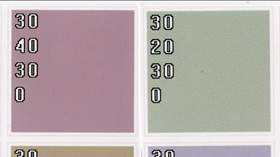 | Test printing to check your quality. Difference between a non-adjusted machine and a correct adjusted machine. |
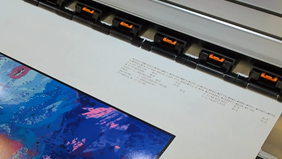 | Header dump tool |
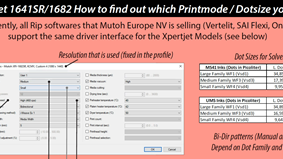 | How to link your driver settings with your adjustments (how to find out which dot size your profiles are using and which adjustment is needed for that) |
Addendum (last minute changes) |
|
Was this article helpful?
That’s Great!
Thank you for your feedback
Sorry! We couldn't be helpful
Thank you for your feedback
Feedback sent
We appreciate your effort and will try to fix the article