This article describes in more detail why E068 (and sometimes E074) errors are triggered and how it can properly be diagnosed and resolved. More detailed information about this E068 can also be found in the service manual. However due to the "generic" nature of these messages and the involvement of several parts, it's important to understand the basic principles of the CR driving system in order to be able to determine which part is faulty. Basically, this error is triggered when there is an issue in the process of the carriage-movement.
In order for the printer to properly position the carriage accurately, several components are working simultaneously. These components can affect one another. If the control-circuit is interfered from within, E068 errors may occur.
This involves the following components:
- The CR encoder sensor
- All the cover switches
- The CR motor
- The CR encoder strip
- The steel belt (and CR belt if present) tension & cleanness
- The mainboard
- The power supply
Basic principles of the CR motor control loop
The CR motor control is a PID control (PID = proportional, integral, derivative controller) in a closed feedback loop in order to accurately control and position the carriage.
Basically it consists of the following steps:
- When the electronics wants to move the carriage, it drives the Y-motor by sending a controlled amount of current. The driver IC on the mainboard provides this current.
- As the motor receives current, it start to turn and the carriage starts to move.
- The carriage is accelerated by the steel-belt. The correct tension of the steel belt is extremely important, as the slightest slip might cause timing issues during printing and worst case, trigger E068 errors. Since inside this controlled "closed loop", the carriage movement depends of the steel-belt as well.
- Carriage movement is detected through the encoder sensor. The sensor principles are the same for the carriage-movement, as well the paper-feed movement. The encoder-sensor consists of 2 important embedded sections:
- A light-emitting diode (visible or IR)
- A light receiver, consisting of 2 parts with a 90° shift. The receiver detects the vertical stripes from the encoder strip and converts this movement into 2 electrical signals with a 90° phase-shift. This shift enables the determination of the carriage movement-direction (left or right).
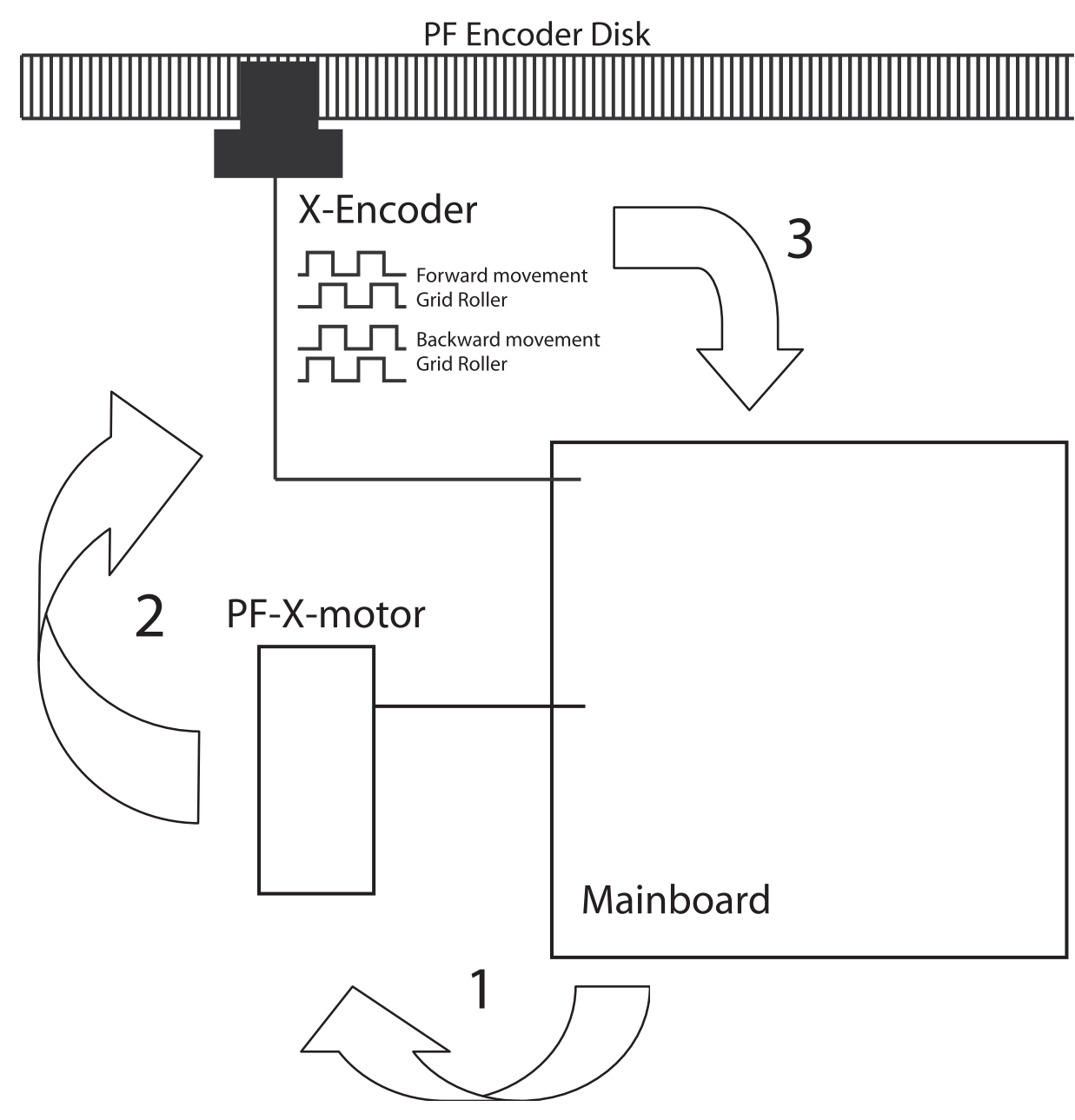
This "closed-loop" circuit is fully controlled in the electronic circuit and firmware settings inside the mainboard. It regulates direction and the amount of electrical current to determine the speed, positioning, acceleration and decceleration extremely precisely.
Basic principles of the cover switch (Carriage Emergency Stop) circuit
The power supplied to the CR motor is protected with a relay. This relay is directly soldered on the mainboard. The best way to identify the Y-motor relay is to listen to the "clicking" sound on the mainboard, when cover-switches open or close.
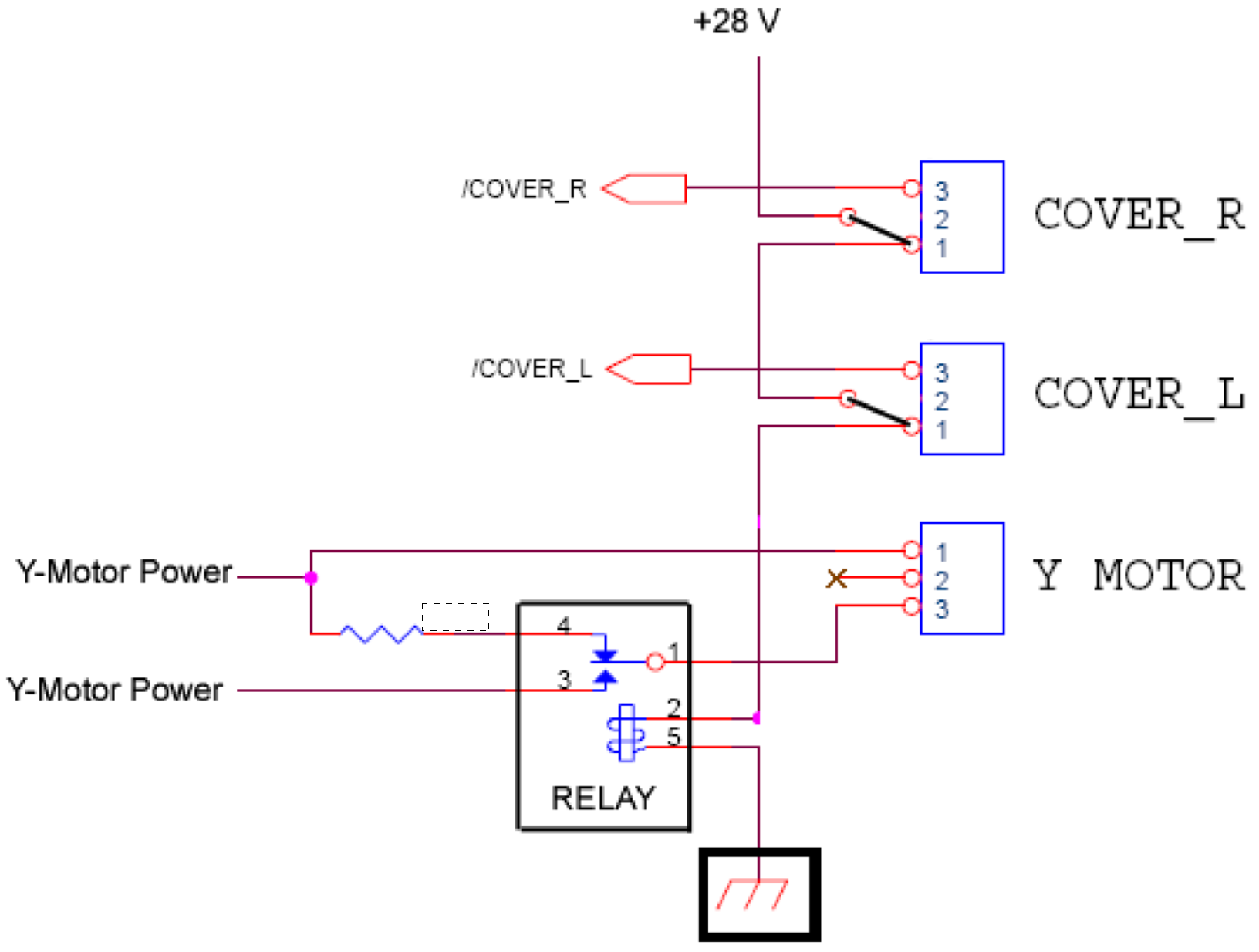
The cover switches have 3 contacts and they function as "changeover switches" controlling the relay. This means:
- When the switch is open, contacts 1 and 2 closes. The shorted contact powers the motor relay on the mainboard
- When the switch is closed, contacts 2 and 3 closes. The shorted contact then sends power to the mainboard electronics to "signalize" that the cover-switch is opened.
If a cover switch is "floating" ant not properly shorting 1-2 or 2-3, this will trigger errors. Use a multimeter to verify if switches are properly closing.
When the relay is properly activated, during start-up initialization of the printer in "User Mode", the CR motor makes a short movement to detect encoder pulses. The easiest way to "feel" this movement with your fingers on top of the motor shaft.
Be careful: do not touch the steelbelt or CR belt in order not to harm yourself.
Please note that if you bypass the cover switches, the carriage can not longer be stopped by opening the cover in case of an emergency. So therefore we do not recommend to bypass cover switches permanently. |
What should you check when E068 errors are triggered?
- One or more malfunctioning or disconnected cover switches
- Diminished or improper light detection inside the encoder sensor, in order to be able to measure the appropriate pulses for carriage positioning. This can be due to:
- A dirty encoder sensor
- A dirty or damaged (scratched) encoder strip. The strip may be cleaned with 99% pure isopropyl alcohol only!
- A "Weak" encoder sensor (due to ageing, the light emitter might have insufficient power to create a "clean signal"). In this case it's recommended to replace the encoder-sensor.
- A loose, dirty or broken steel belt (or CR belt if applicable)
- The steel belt (and the CR belt if present) must be properly tensioned with a dynamometer.
- The steel belt must be dry and free of dust and dirt. Oil and grease are forbidden on the steelbelt and the pulleys. If you find any oil or grease on the steelbelt or the pulley-surface, it must be properly degreased with isopropyl alcohol.
- Optionally: If the printer contains a small carriage belt, it may be greased with a tiny amount of white grease.
- A malfunctioning or broken driver IC circuit on the mainboard, in this case the board must be replaced
- An unstable voltage power-supply
Diagnostics of the printer can be done through the printer's "Service Diagnostics" menu:
- Cover switches [Service Diagnostics]
 Please note that this test is not 100% reliable due to the nature of the "changeover" cover switch. Measuring each cover switch manually in the printer with a multimeter is the only reliable way. See info "Basic principles cover switch".
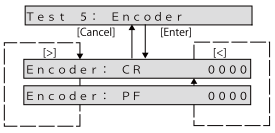
 - CR Encoder sensor [Service Diagnostics]
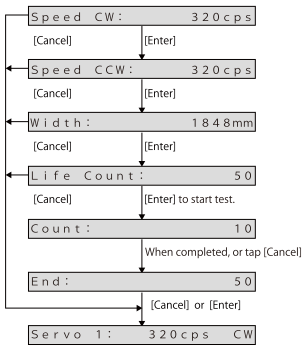
- Endurance tests on the CR Motor + belt tensions [Service Diagnostics]
Was this article helpful?
That’s Great!
Thank you for your feedback
Sorry! We couldn't be helpful
Thank you for your feedback
Feedback sent
We appreciate your effort and will try to fix the article