Necessary tools
In order to be able to install firmware, the following tools are required:
- Personal computer with MS Windows
- Network cable to connect the Valuejet wit the pc
- The latest MSA-tool (Mutoh Service Assistance)
Detailed instructions how to install the firmware, are described in the maintenance manual.
The latest current firmware can be downloaded below this article.
Release date: 21 january 2020
Current version - 3.04
New items
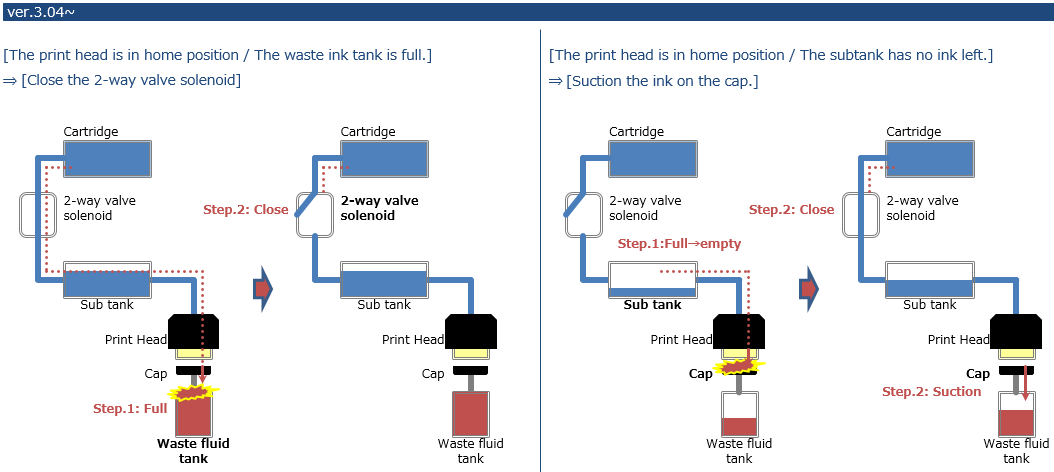
Prevent ink leakage during standby mode
- When the waste ink bottle is full, the 2-way solenoid valve closes
- When the subtank sensor detects there is no ink inside the subtank, it will refill it through the ink pump, sucking ink
Prints additional printer information on each nozzle check pattern (user mode):

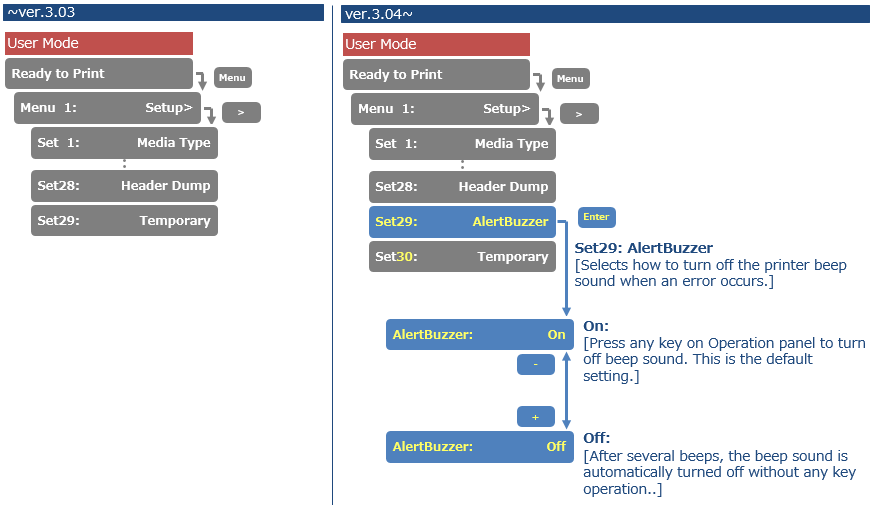
Added Alert Buzzer menu. If the Alert Buzzer is set to "Off", the beep sound will turn off automatically after several beeps
Changed items
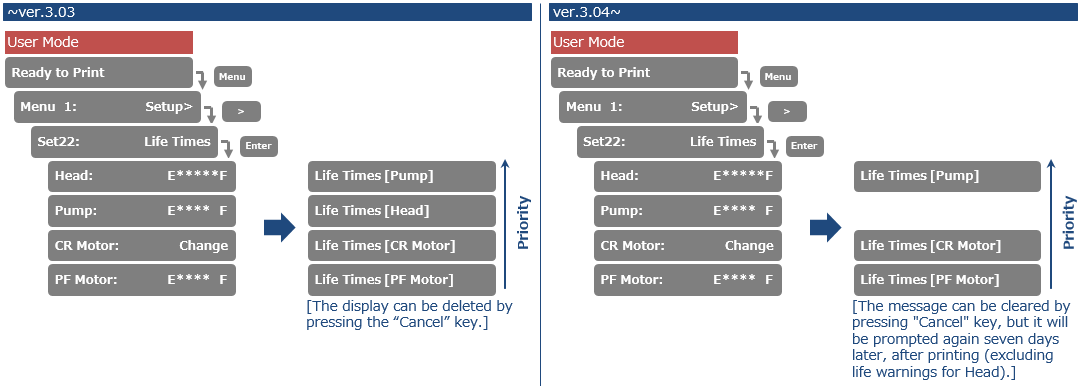
Changed the frequency of the lifetime alert message. If 7 days have passed after pressing the "cancel" key, the alert message will reappear when you print. Lifetime alerts can easily be cleared from the display, when pressing the "Cancel" button.
Version history
Release date: n.a.
3.03
First version
Was this article helpful?
That’s Great!
Thank you for your feedback
Sorry! We couldn't be helpful
Thank you for your feedback
Feedback sent
We appreciate your effort and will try to fix the article