When you are experiencing uneven quality output, depending on where you put the object on your printing-table there are a few important clues. The following guidelines should always be checked during:
- The installation and placement of a new unit out of the box
- When moving the unit to a new location
The printing-table can be considered as the "print platform" like on every regular printer. The head-height distance between the table and the print head-surface should be the same over the complete width and length of the table.
1. Table level
When installing or placing the printer on a location make sure that the table where you put your printer onto is:
- 100% flat over the complete surface where you install your printer on
- The surface where you install your printer on is properly leveled
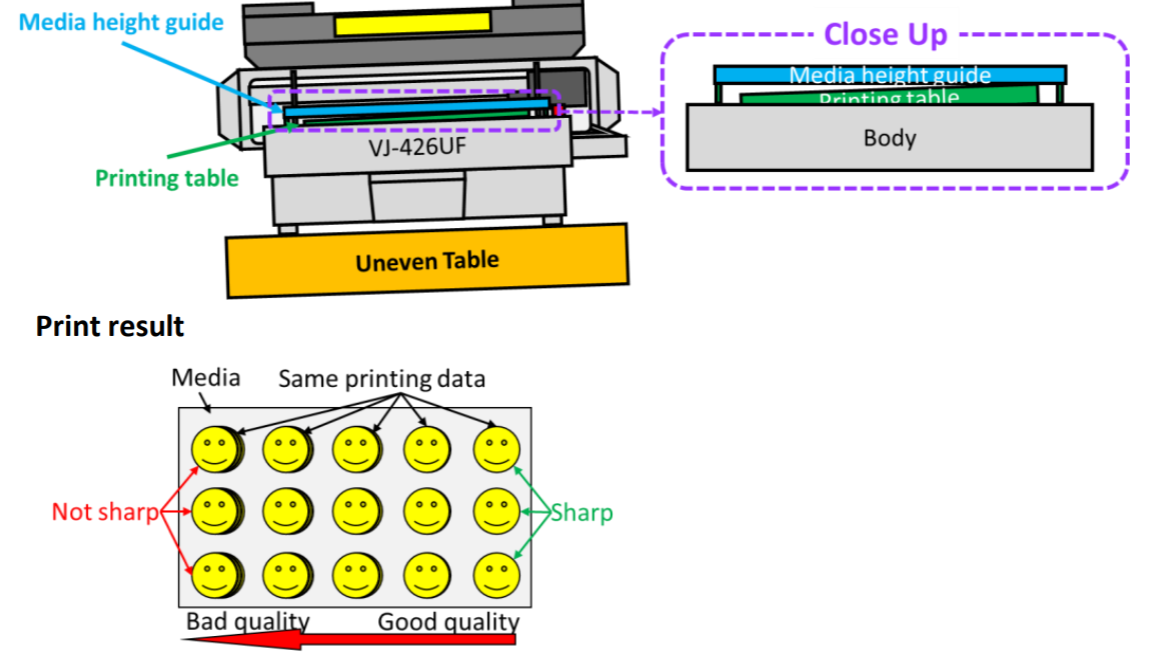
If the table where your put your printer onto is not properly leveled, it might result in a printing-table which is not properly aligned and will result in inconsistent print output sharpness & quality:
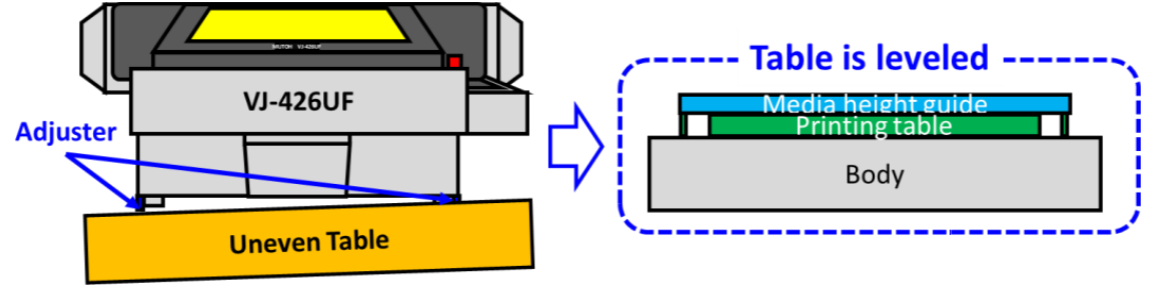
In case you have no possibility to put the printer on a properly leveled and flat table surface, you can order DG-49219 "Level adjuster" and mount these on your printer. These feet will help you to properly level the printer on any unleveled surface:
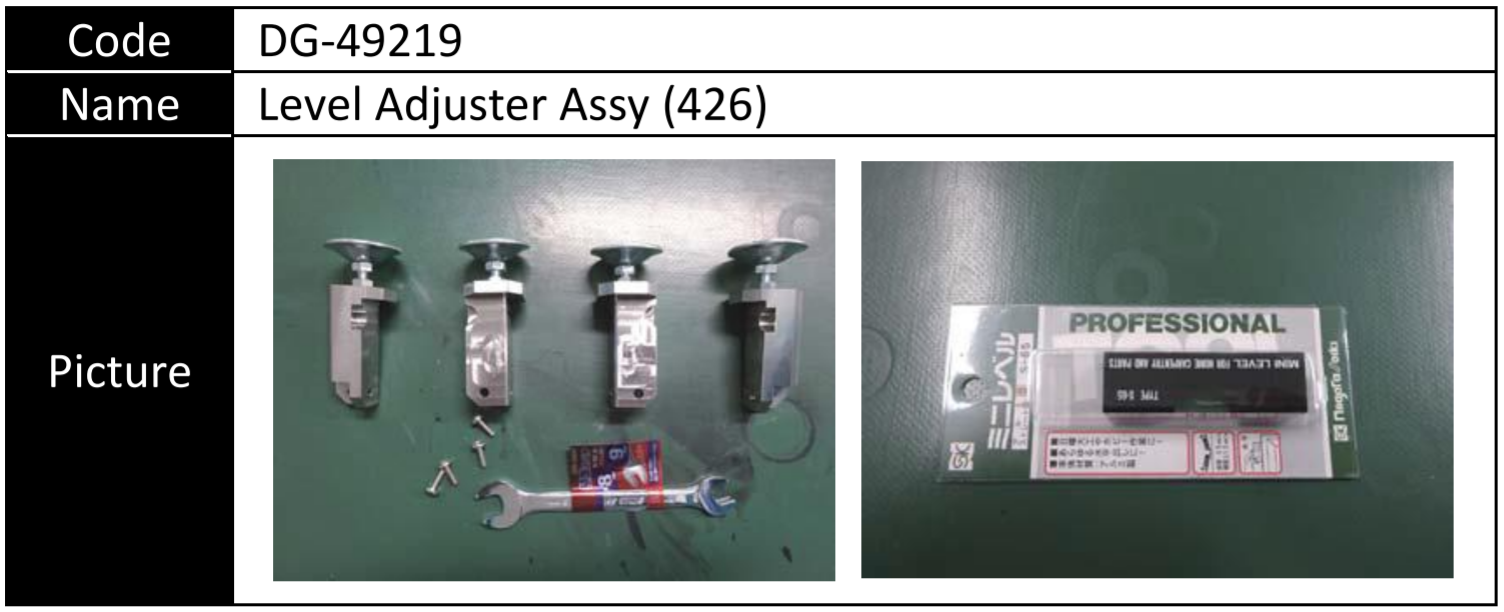
The kit contains:
- 4 mountable leveling feet + adjustment wrench
- Water level
2. Laser sensor adjustment
When moving and placing the printer on a different location, and particularly when installing a new printer, it is absolutely important to always verify the laser sensor adjustment as well. A simple "quick" verification to make sure that the laser is 100% properly aligned versus the hole of the receiver:
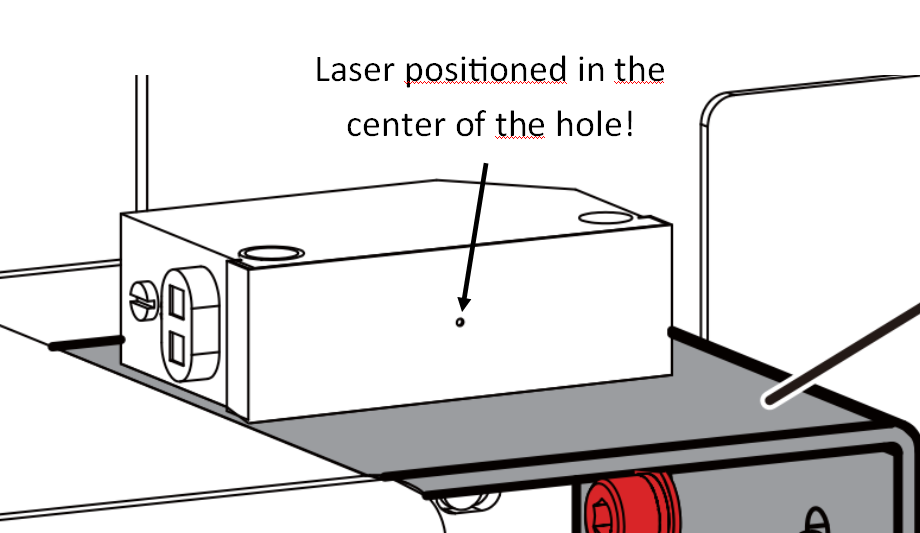
If the laser is not properly aligned versus the center of the hole, it's important to verify in more detail and eventually re-calibrate the laser sensor emitter and receiver with the correct adjustment jigs/plates. This will ensure that the naked table-surface is 100% parallel with the laser beam. For more instructions how to properly adjust the laser-sensor assembly, please refer to the maintenance-manual of the VJ-426UF.
3. Table height adjustment
Only when the 2 guidelines above are still not sufficient and you still notice a height-difference over the table-width/surface, please contact hardware.support@mutoh.eu or create a ticket on the support-desk for further instructions.
Was this article helpful?
That’s Great!
Thank you for your feedback
Sorry! We couldn't be helpful
Thank you for your feedback
Feedback sent
We appreciate your effort and will try to fix the article