Phenomenon
During build-up printing with UV-curable ink, a cured ink film may form on the surface of the print head.
The presence of cured ink on the nozzle surface can result in nozzle clogging and ink dripping during printing.
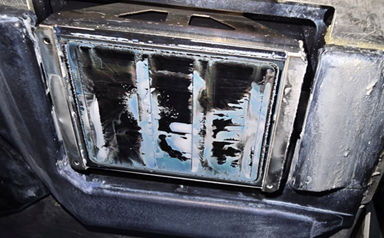
To address this issue, a document outlining precautions for thick-material printing (e.g., block materials, thick printing, Braille printing) has been prepared. This document should be provided to:
Users performing build-up or thick printing, and
Users who have experienced early damage to the print head nozzle plate, requiring repeated print head replacement.
Users should be instructed to carefully follow the procedures described in the attached document when performing such printing operations.
Cause
Increasing the print head gap level (print head height) to achieve thicker printing increases the generation of ink mist during printing. At the same time, reflected light from the UV lamp is more likely to reach the print head surface.
When ink mist adheres to the nozzle surface and is exposed to reflected UV lamp light, the ink cures and adheres to the nozzle plate. This cured ink film leads to nozzle clogging. As additional ink mist accumulates on the cured film, ink dripping may occur during printing.
Note:
Under normal conditions, the nozzle surface is protected by a water-repellent coating that prevents ink mist adhesion. However, this protective effect is reduced when cured ink begins to accumulate.
User tips
For customers performing build-up printing such as Braille printing, explain and implement the following procedures:
1. Cleaning During Printing
Perform a short CL (Cleaning) before each print job.
2. Special Daily Maintenance
In the daily maintenance routine, add the task “Wipe the print head nozzle surface and clean the surrounding area” immediately after
“2. Moistening the surface of the print head nozzles.”This procedure is defined as Special Daily Maintenance (see attached document).
3. Maintenance Schedule
Perform daily maintenance:
Every three hours after printing begins
At the end of the workday
Refer to the attached document for detailed instructions on the special daily maintenance procedure.
Cause
Cause
Was this article helpful?
That’s Great!
Thank you for your feedback
Sorry! We couldn't be helpful
Thank you for your feedback
Feedback sent
We appreciate your effort and will try to fix the article