This guide outlines the complete procedure for loading DS4 ProFlex inks into a new XPJ-1682SR-DSP printer.
Follow these steps carefully to ensure proper installation.
TABLE OF CONTENTS
Required Components
- Firmware Requirements:V1.06 (minimum) + Mutoh Service Assistant (MSA) v6.0.5 or higher
- Ink Supplies:
- DS4 ProFlex Sublimation InkPart NumberQtyDS4-BK1000PE2DS4-CY1000PE2DS4-MA1000PE2DS4-YE1000PE2
- No initial cleaning required - Machine wash with cleaning liquid is not necessary prior to initial ink loading.
- Daily maintenance cleaning fluid: DS3-CL1000E
Important

DS4 ink packs and daily maintenance cleaning fluid must be ordered separately!
Installation Procedure
Warning

Important: Your printer requires firmware version V1.06 or higher to work with DS4 inks. Using an older firmware version might prevent proper start up.
- Step 1: Firmware Update
Boot the printer in "Board Manager Mode" and update the firmware using MSA 6.0.5 tool or higher. - Step 2: Initial Configuration
Boot the printer in "User Mode" and configure initial settings (language, IP address, etc.). - Step 3: Printer Activation
Activate the printer. (How to register a Mutoh printer & generate an activation code?)
Important

For 8-color mode operation: set "Diagnostics > Parameter > Update > Color > 8Color" before proceeding.- Step 4: System Reboot
- Step 5: Ink Charge Initialization
The printer will request confirmation to start the Ink Charge process.
- Step 6: Wash Retry Prompt
If the display shows "Wash Retry?" → Select No
- Step 7: Ink Installation
Insert the DS4 ink packs into the ink cases, install them in the printer. Refer to the Start-up guide for detailed instructions on proper ink pack loading procedures.
- Step 8: Automatic Ink Charging
The "Ink Charge" process will initiate automatically.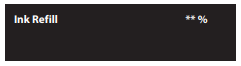
- Step 9: Process Completion
Upon successful ink loading, the completion message will appear (ink charging cycle is complete).
Important

The correct flushing pad for DS4 inks is IJ-FLABS-01, supplied in boxes of 3 pieces. MEN has already completed this upgrade during the conversion to XPJ-1682SR-DSP by replacing the previous solvent flushing pad with IJ-FLABS-01 and ensuring the box contains the appropriate pad type.
Additional Info and Resources
- Key differences between the 1682SR-P and 1682SR-DSP printer models:
- Pressure Rolls / Arms and Springs are replaced with their water-based version.
- Spitting Pad (see info above)
- InkType: Preset to the MUTOH ink kind for water-based sublimation ink: "MW1". - recommended print modes, see: Print Mode Recommendations XPJ-1682SR-DSP
- Generic Media Profiles for VerteLith can be downloaded through different channels: LINK
- Daily Maintenance Information: LINK
Was this article helpful?
That’s Great!
Thank you for your feedback
Sorry! We couldn't be helpful
Thank you for your feedback
Feedback sent
We appreciate your effort and will try to fix the article