On some occasions it may occur that the printer is stopped and one of the following errors are displayed:
- "S/C Read Err"
- "Broken Chip"
In order to overcome these issues, some important adaptations and features in the firmware have been implemented. The new feature is called the Smart Chip Recovery which will help printer operators, to overcome these issues. New firmware versions will be gradually adapted and rolled-out, containing this new implementation. If you wish to know, which machine has this new feature implemented, please carefully read the "Current version" & "Version history" of the concerned firmware.
When a S/C error accidentally occurs during the following situations:
- Turning on the power
- Inserting a new cartridge
... and the printer is unable to properly identify the ink color in a slot, the following message will now appear on the display. In this example-case below, it indicates that there is a problem with the reading of the black (K) and Cyan (C) cartridge chip: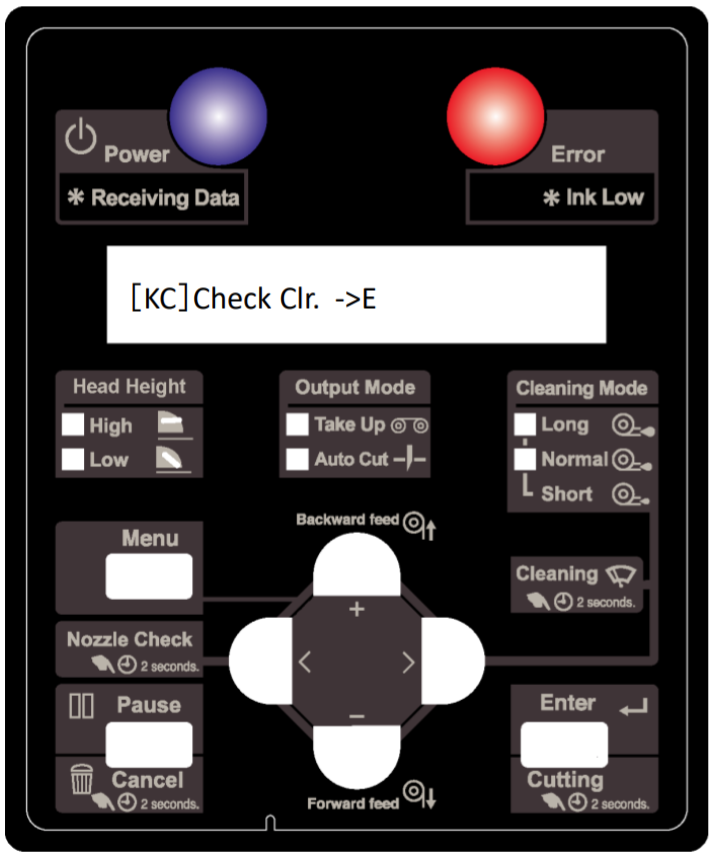
This message is prompting the operator to physically check the ink-slot, to verify if the correct cartridge-color has been inserted!
If the operator is 100% sure that this is ok, he can from now on manually confirm that the right ink cartridge is inserted in the correct color slot. The printer will start, when the operator presses the ENTER key.
| IMPORTANT When the operator hits the Enter button, he confirms that the right color was inserted. He must be 100% sure that the correct color has been inserted. Please inform your customers about this. If he accidentally confirms when the wrong cartridge-color was inserted anyway, colors will be mixed with all it's consequences! |
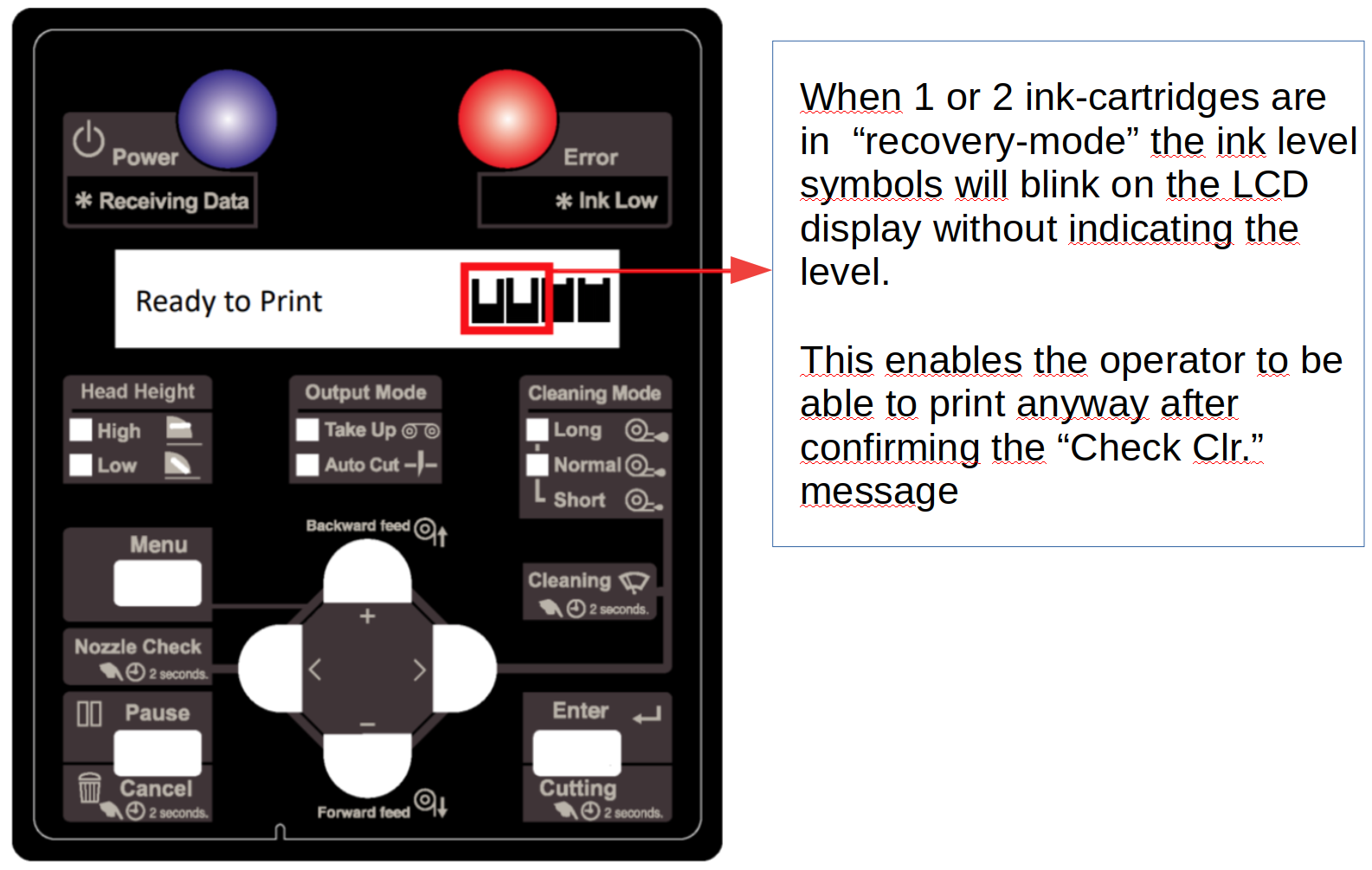
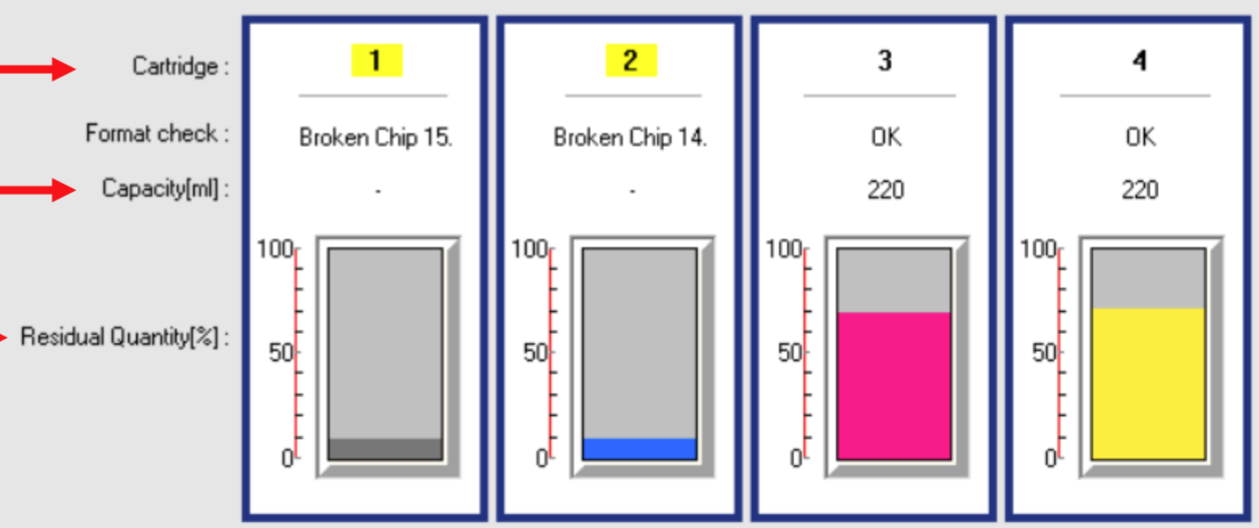
The MSM (Mutoh Status Monitor) will give a similar view, like on the LCD display, without variable ink level. The residual quantity on the recovered smartchip/cartridge will show 10%. This is a normal behaviour in this mode since the printer doesn't know any longer how much ink is in this cartridge.
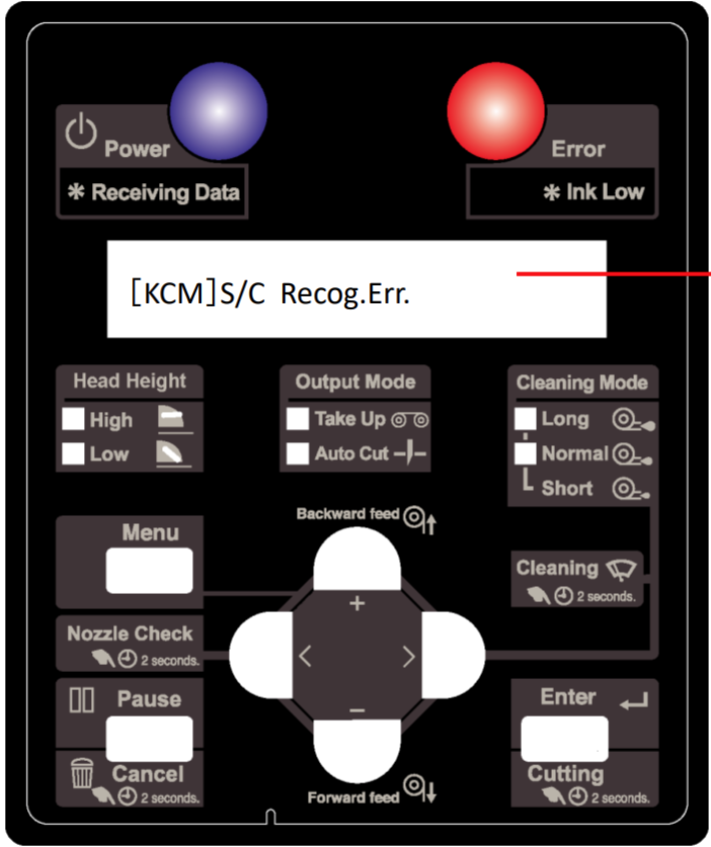
This new recovery method enables the customer to print anyway, despite having 1 (or more) smart-chip related error(s). If more than half the amount of ink-slots in the printer are having S/C errors, this procedure will not be possible. In that case a "Recog Err." will be displayed on the panel instead. In this case the printer will not be able to print and the operator has to check all his cartridges or something is technically (or electronically) wrong with the printer or the cartridge-readers:
The MSM (Mutoh Status Monitor) will give a similar view, like on the LCD. In this case more than half the amount of slots cannot recognize smartchips or are having S/C Errors. In that case you will get the following view:
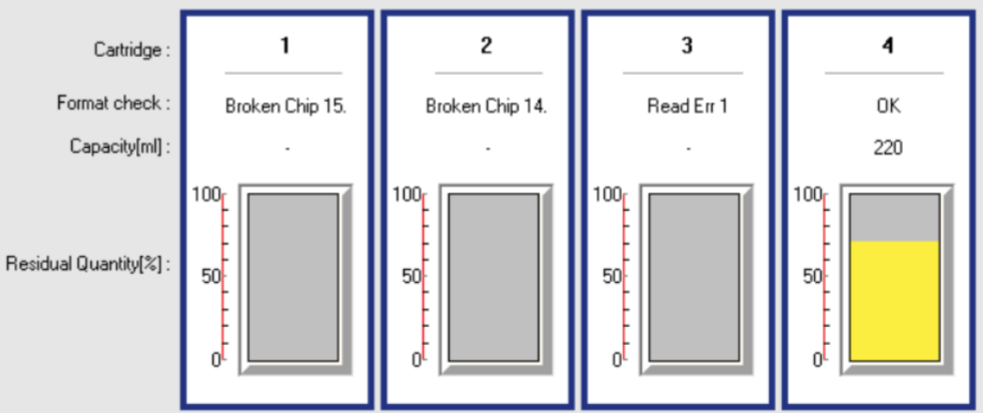
In that particular case we strongly recommend to read the instructions in the following article: How to properly diagnose smart-chip related errors
Extra info: In case a smart chip gets empty before the ink container is physically empty it is an option to cover the actual chip with some tape in order to simulate a defective chip and to be able to continue printing with this ink bag.
The following overview contains the units & firmware-version which have currently this new feature:
| Unit | Firmware version | URL |
| VJ-426UF | v1.12 or higher | Download link |
| VJ-626UF | v1.09 or higher | Download link |
| VJ-1626UH | v1.11 or higher | Download link |
| VJ-1638UH | v1.12 or higher | Download link |
| VJ-1638UH2 | v1.12 or higher | Download link |
| VJ-1638UR | v1.05 or higher | Download link |
| VJ-1638UR2 | v1.05 or higher | Download link |
| VJ-628 | v1.09 or higher | Download link |
| VJ-628MP | v1.09 or higher | Download link |
| VJ-1604X | v3.05 or higher | Download link |
| VJ-1324 | v3.09 or higher | Download link |
| VJ-1324X | v3.07 or higher | Download link |
| VJ-1624 | v3.09 or higher | Download link |
| VJ-1624X | v3.07 or higher | Download link |
| VJ-1638 | v3.18 or higher | Download link |
| VJ-1638X | v3.17 or higher | Download link |
| VJ-2638 | v3.18 or higher | Download link |
| VJ-2638X | v3.17 or higher | Download link |
| VJ-1617H | v1.11 or higher | Download link |
| VJ-1627MH | v1.03 or higher | Download link |
| XPJ-1641SR | v2.03 or higher | Download link |
| XPJ-1682SR | v2.02 or higher | Download link |
| XPJ-1642WR | v1.05 or higher | Download link |
| XPJ-1682WR | v2.02 or higher | Download link |
| XPJ-441UF | v1.04 or higher | Download link |
| XPJ-661UF | v1.04 or higher | Download link |
| XPJ-1341SR-P | from the start | |
| XPJ-1641SR-P | from the start | |
| XPJ-1682SR-P | from the start | |
| XPJ-1462UF | from the start | |
| XPJ-1341WR-P | from the start |
Was this article helpful?
That’s Great!
Thank you for your feedback
Sorry! We couldn't be helpful
Thank you for your feedback
Feedback sent
We appreciate your effort and will try to fix the article